

PS5 SSD Upgrade: PCIe 3.0 vs 4.0 vs 5.0 NVMe, What Works and How Fast
Which NVMe SSD works in a PS5? PCIe 3.0, 4.0, and 5.0 compared, with real speeds, size limits, and the heatsink rule.
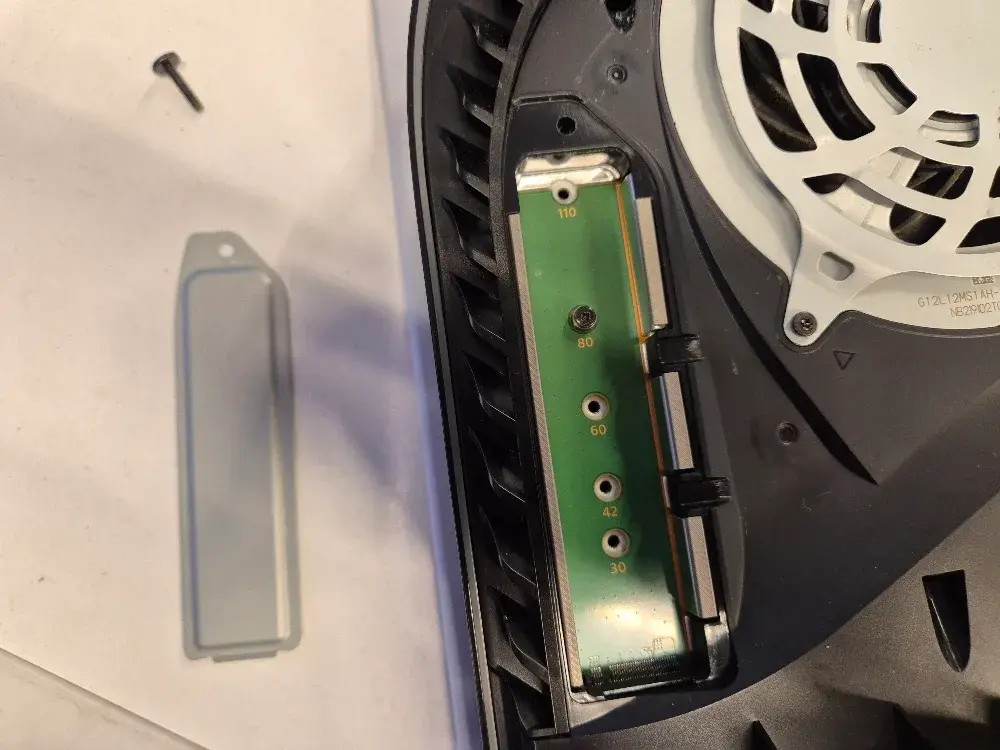
Your PS5 says storage is full again, so you go shopping for an SSD. Then you hit a wall of labels: Gen 3, Gen 4, Gen 5, NVMe, M.2, 2280, heatsink. Two drives with the same capacity can differ a lot in price.
Here's the deal. The PS5 needs a PCIe Gen 4 NVMe M.2 drive, rated at 5,500 MB/s read or faster, with a heatsink. A Gen 3 drive is not supported. A Gen 5 drive can work, but the PS5 runs it at Gen 4 speed, and many of them do not fit. The rest of this post explains why.
What the PS5 M.2 Slot Accepts
Sony publishes the full list on its PS5 M.2 SSD installation and requirements page. These are the numbers that matter:
| Requirement | Sony's spec |
|---|---|
| Interface | PCIe Gen 4 x4, M.2 NVMe (M key) |
| Capacity | 250 GB to 8 TB |
| Lengths | 2230, 2242, 2260, 2280, 22110 |
| Recommended read speed | 5,500 MB/s or faster |
| Max width | 25 mm |
| Max thickness, with cooling | 11.25 mm total (8 mm above the board, 2.45 mm below) |
| Cooling | Required. Heatsink or heat transfer sheet. |
| Not supported | M.2 SATA drives |
The 8 TB ceiling is newer. The limit was 4 TB until a 2023 system update, which Tom's Hardware covered when it went live.
Sony's page also gives install steps for the original PS5, the Slim, and the PS5 Pro. All three use the same slot spec.
The 2280 size is the one to buy
Almost every drive on the shelf is 2280. That means 22 mm wide and 80 mm long. It fits the PS5 slot with no adapter. Skip the odd sizes unless you already own one.
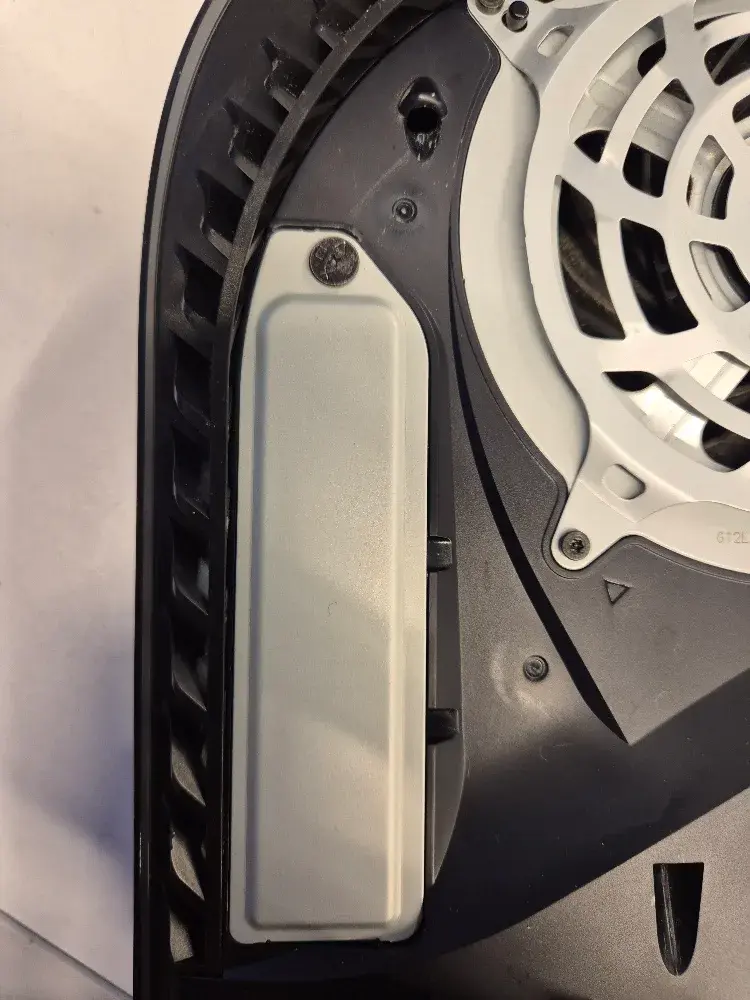
PCIe 3.0 vs 4.0 vs 5.0: What the Numbers Mean
PCIe is the connection between the drive and the console. Each generation doubles the speed of the one before it. An M.2 NVMe drive uses four lanes, written as "x4".
| Generation | Raw speed per lane | Max for an x4 drive | Fast real drives (read) |
|---|---|---|---|
| PCIe 3.0 | 8 GT/s | about 3.9 GB/s | about 3,500 MB/s |
| PCIe 4.0 | 16 GT/s | about 7.9 GB/s | about 7,000 to 7,450 MB/s |
| PCIe 5.0 | 32 GT/s | about 15.8 GB/s | about 14,000 to 14,900 MB/s |
GT/s means billions of transfers per second. The x4 column is the ceiling of the connection after encoding overhead. No drive reaches it exactly. The last column shows what the top retail drives are rated for.
For a reference point, the PS5's own built-in SSD reads at 5.5 GB/s raw. That is why Sony asks for 5,500 MB/s from an add-in drive. Sony wants the extra drive to keep up with the internal one.
Why a Gen 3 drive is out
A Gen 3 connection tops out near 3.9 GB/s. That is below the 5,500 MB/s target, so no Gen 3 drive can meet it. Sony lists Gen 4 as the only supported interface. Do not buy a Gen 3 drive for a PS5, even on sale.
Why "Gen 4" alone is not enough
Plenty of Gen 4 drives are budget models rated at 3,500 to 5,000 MB/s. They carry the Gen 4 label and still miss Sony's target. Read the speed on the box, not the generation.
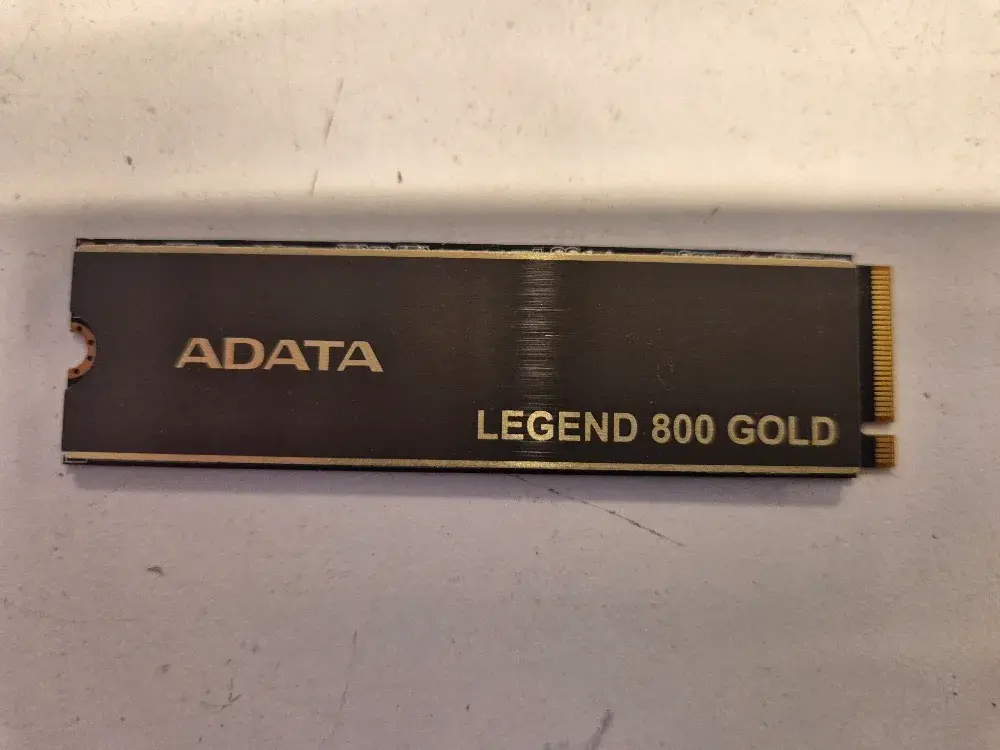
The ADATA Legend 800 Gold is a good example. It is a PCIe Gen 4 x4 drive in the 2280 size, so it fits the slot. Retail listings rate it at 3,500 MB/s read, and ADATA lists it with HMB. On paper, it misses Sony's target.
Sony also notes that the PS5 does not support Host Memory Buffer (HMB). HMB is a trick some cheap drives use instead of their own memory chip. A drive that depends on it can run slower in a PS5 than its rating says.
Will a PCIe 5.0 SSD Work in a PS5?
Usually yes, with limits. PCIe is backward compatible by design. The PCI-SIG announcement for PCIe 5.0 states that 5.0 stays compatible with 4.0 and older. A Gen 5 drive in a Gen 4 slot connects at Gen 4 speed.
So what does that mean for you? You pay for 14,000 MB/s and the PS5 can use about half of it. A strong Gen 4 drive gets you the same result for less money.
The real problems with Gen 5 in a PS5
- Heat. Gen 5 controllers run hot. Most makers ship them with large heatsinks or ask you to add one.
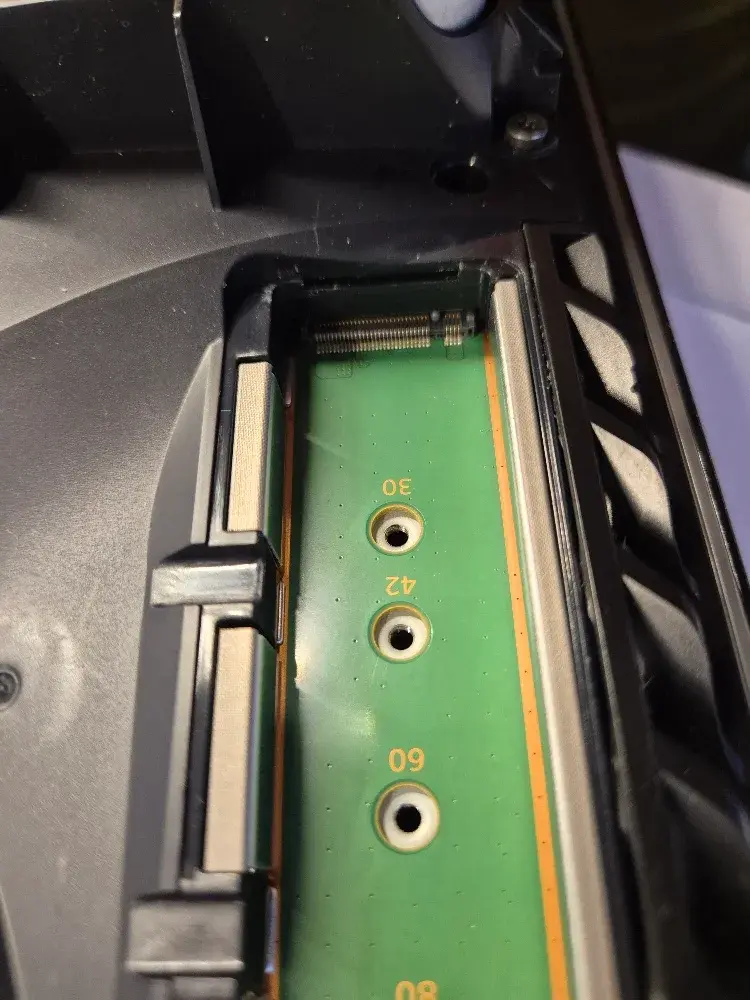
- Height. Many Gen 5 heatsinks are built for PC motherboards. They stand much taller than the 8 mm the PS5 allows above the board.
- Price. Gen 5 drives cost more per terabyte than Gen 4 drives of the same size.
The Crucial T705 review at LanOC is a good example. It rates at 14,500 MB/s read, and that is a PC number. Inside a PS5, the link limits it to Gen 4 speed. If the slot cover will not close, Sony says the cooling is too big.
How to Pick an SSD That Works
| Drive type | Works in PS5? | Worth it? |
|---|---|---|
| M.2 SATA | No | No |
| PCIe Gen 3 NVMe | No, not supported | No |
| PCIe Gen 4, under 5,500 MB/s | Can install, may run slow | Not recommended |
| PCIe Gen 4, 5,500 MB/s or faster, with low-profile heatsink | Yes | Best choice |
| PCIe Gen 5 | Yes, at Gen 4 speed, if the cooling fits | Usually no |
Real-world tests match the specs. GamesRadar's PS5 SSD testing measured a 2 TB Samsung 990 Pro at about 7,095 MB/s read. That is well over Sony's target, and it is a Gen 4 drive.
Quick checklist before you buy
- PCIe Gen 4 x4 NVMe, M.2 2280.
- Read speed of 5,500 MB/s or faster on the spec sheet.
- A heatsink that fits in 11.25 mm total, or a "PS5" heatsink version.
- Do not stack a second heatsink on a drive that already has one.
- Update the PS5 system software before you install.
The PS5 formats the drive when you install it. That erases anything on the drive. Move a drive between two PS5 consoles and it does not need a new format.
The speed the PS5 shows after the format
After the format, the PS5 runs its own read test and shows the result on screen. Expect a lower number than the box. One owner's PS5 Slim install of a Samsung 990 Pro showed 6,751 MB/s on a drive rated at 7,450 MB/s. That is normal. The console runs its own test, not a PC benchmark.
Does a faster score mean faster loading? Not by much. Once a drive clears 5,500 MB/s, game load times land close to the internal SSD. Past that point, you pay more for numbers you will not feel in a game.
FAQ
> Q: Can I play PS5 games from a USB external SSD instead?
>
> A: You can store PS5 games on a USB drive, but Sony's USB extended storage page says you cannot play them from it. You have to copy them back to internal storage first. PS4 games can run straight from USB. If you want to launch PS5 games without shuffling files, the M.2 slot is the way to do it.
> Q: My PS5 says it can't use the M.2 SSD. What now?
>
> A: Check the basics first. Is it a Gen 4 NVMe drive rated at 5,500 MB/s or better? Is it seated all the way and held down by the screw? If the drive meets the spec and the error stays, the slot or the drive can be at fault. That is when a bench test helps, because we can try a known-good drive in the console.
> Q: Is a bigger drive slower?
>
> A: Not in a way you will notice. Larger drives of the same model often rate a little faster, because they have more memory chips to spread the work across. The bigger choice is capacity. A 2 TB Gen 4 drive with a heatsink is the common pick for a PS5, and it holds a lot of games.
Need a Hand With Your PS5?
If you have a drive picked out and want a second opinion, send us the model and we will tell you if it fits the PS5 spec. We also sell and install SSDs, depending on what we have in stock. If your console will not see the drive, or the slot or console has a bigger problem, see our PS5, Xbox, and Nintendo Switch repair services.
[Text PHYX at 413-234-4313](sms:+14132344313) or Email PHYX at repairs@phyx.me.