
Your Glass Isn’t Cracked. So Why Is Your LCD Broken?
Your screen looks fine but shows black areas or lines. Here is what actually broke inside the display and why you cannot see it.
The glass you touch is one part. The display that makes the picture is a different part, sitting behind it.
Glass is the toughest layer in the whole stack. It is also the thickest and the only one built to take a hit. The layers behind it are thin, brittle, and unprotected.
So a phone can hit the floor, keep perfect glass, and lose the screen anyway. That is the short answer. Here is the long one.
A black screen is the diagnosis, not the symptom
If your device still rings, vibrates, or makes sounds, the logic board is running. The picture is gone because the panel is bad.
Same story for lines, blotches, bars, and color patches under the glass. Those are all the display failing. The screen needs to be replaced.
People assume a dark screen means the whole device died. It almost never does. The part that broke is the one part sitting closest to the impact.
Your screen in plain English
An LCD screen is much more complicated than the piece of glass you touch.
Underneath the outer glass are multiple extremely thin layers that work together to create the image. These can include polarizing layers, glass substrates, microscopic electrical components, liquid-crystal material, red, green, and blue color filters, and an LED backlight.
Working from your finger backward, a typical LCD device stacks up like this:
- Cover glass with an oleophobic coating
- Touch digitizer, a grid of transparent electrodes
- Top polarizer film
- Color filter glass, then the liquid crystal layer, then the TFT glass
- Bottom polarizer, then the backlight assembly
The backlight supplies the light for the screen. Electrical signals then control the orientation of microscopic liquid-crystal molecules inside individual pixels. Those liquid crystals regulate how much polarized light passes through the red, green, and blue subpixels. Millions of individually controlled subpixels combine to create the image you see.
The scale is the part people miss. The two glass substrates inside are a fraction of a millimeter thick each. The liquid crystal layer between them is a few microns. The polarizer films are thinner than paper. Wikipedia's overview of how an LCD is built and driven is a readable starting point.
OLED screens work differently. There is no backlight. Organic layers on a plastic substrate emit their own light, sealed under a thin encapsulation barrier.
Most iPhones from the iPhone X onward use OLED. The exceptions are the iPhone XR, the iPhone 11, and the iPhone SE models, which use LCD. Most iPads still use LCD, with iPad Pro models moving to OLED starting in 2024.
Why the outside can look fine
This is why a screen can be damaged even when the outside glass does not appear cracked.
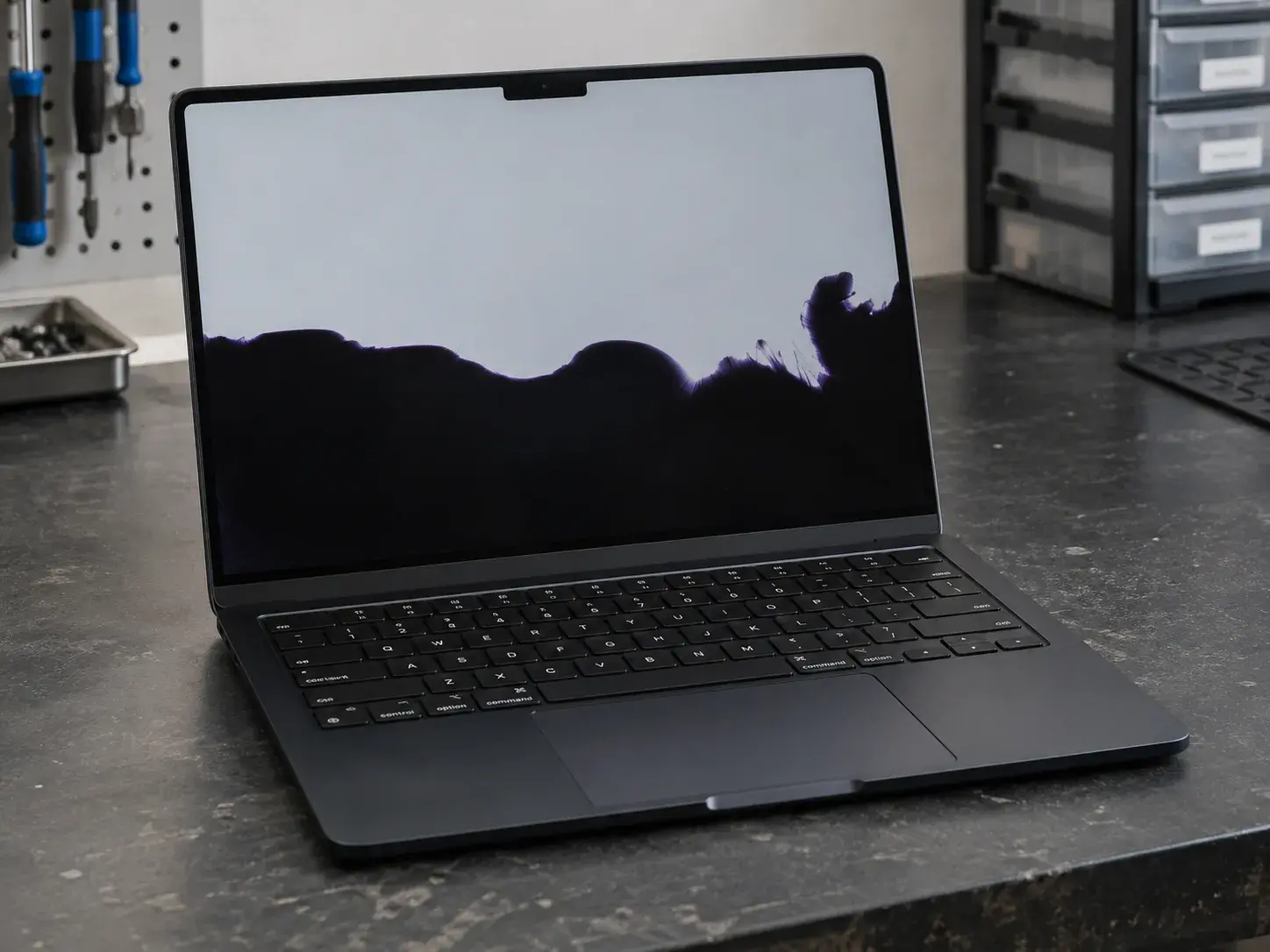
An impact, excessive pressure, bending, or twisting can damage the extremely thin internal glass or liquid-crystal layers while leaving the outer surface relatively intact. Internal LCD damage can produce black or ink-like blotches, colored or vertical lines, white pressure spots, distorted images, or sections of the screen that no longer display properly.
Other failures can occur without physical LCD breakage. A failed backlight can leave the display extremely dark even though an image is still being generated. Damage to display cables, connectors, pixel-control electronics, or motherboard circuitry can also cause lines, flickering, missing portions of the image, or a completely blank display.
There is also a physics reason the damage hides. Glass fails in tension, not compression. When a panel bends, one face stretches, and microscopic flaws on that stretched face open into cracks. Those cracks live inside the assembly where you cannot see them.
The polarizer and the black backing layer finish the job. A dead panel and a healthy one look identical when the device is off.
The important point is that the visible outer glass is only one part of the display assembly. A screen can have perfectly intact exterior glass while the delicate LCD structure underneath has been damaged. For the engineering behind these layers, MIT OpenCourseWare's lecture on liquid crystal displays goes deep, and Columbia University's LCD lab page explains the same ideas in a more accessible way.
Why LCDs get lines: the grid explanation
This is the part most people never hear, and it explains almost every line you have ever seen on a screen.
An LCD does not wire every pixel individually. A 1080p panel has over six million subpixels, and running a wire to each one is impossible. Instead the panel is addressed as a grid.
Horizontal wires called gate lines run across the panel in rows. Vertical wires called data lines run down the panel in columns. A thin film transistor sits at every intersection and switches that one subpixel.
Now the important part. Each wire serves every pixel along its length.
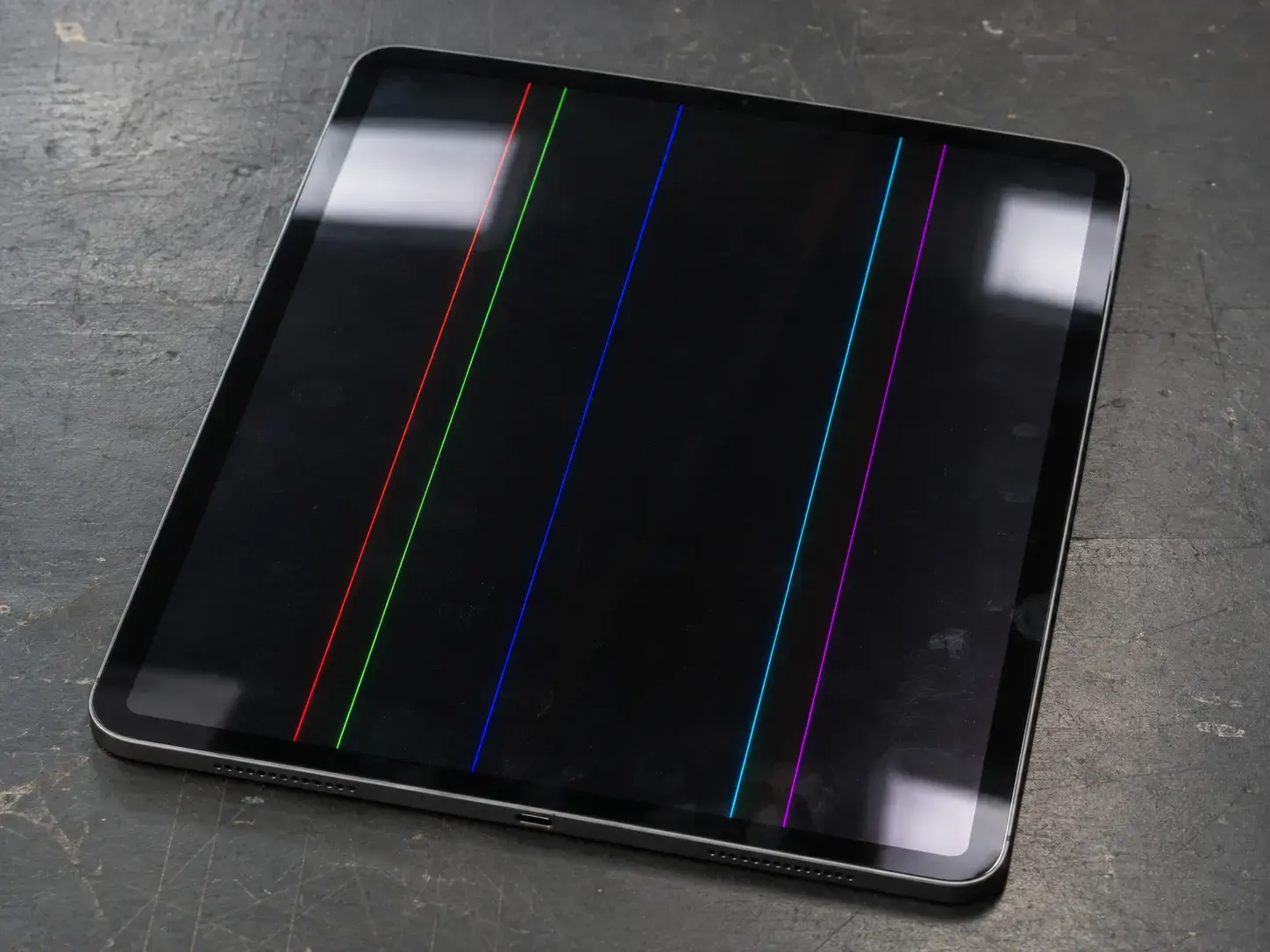
Break one gate line and an entire row of pixels stops receiving its switching signal. You see a horizontal line. Break one data line and an entire column loses its picture data. You see a vertical line.
That is why display damage almost never looks like a random scatter of dead dots. It looks like lines, because the wiring is lines.
Where the break actually happens
Three places, and they behave differently.
In the glass itself. The gate and data lines are thin metal-oxide films deposited onto the TFT glass. That rear plate is more brittle than the front cover glass, and it frequently cracks first. A hairline fracture across it severs every trace it crosses.
At the driver bond. The driver chips are attached to the edge of the panel with an adhesive packed with microscopic conductive particles. Those particles carry current straight through the adhesive, from each driver contact to its matching pad. It is a mechanical joint holding hundreds of connections in a strip a few millimeters wide. Impact, flex, and heat can lift or crack a section of it, and every line under that section goes dead.
In the driver chip. A failed output stage kills a whole block of columns at once. That shows up as a wide band rather than a single crisp line.
Reading the lines
The appearance tells you something about the fault.
| What the line looks like | What it usually means |
|---|---|
| One sharp bright or white line | That row or column lost its switch and is stuck driven |
| One black line | That row or column lost drive entirely |
| A wide band of several lines together | A driver output block or a section of failed bond |
| Colored lines, often green, pink, or magenta | Partial data loss on specific subpixel channels |
| Lines that come and go with temperature or handling | A partial break making and breaking contact |
That last row is the one people find hardest to believe. Glass, metal traces, and the bonding adhesive all expand at different rates as the device heats and cools. A hairline break in a trace can close when cold and open when warm. The fault is real and constant. The contact is what changes.
Why lines multiply over time
A crack in a deposited metal trace is not stable. Every thermal cycle and every flex of the frame extends it a little further.
One line becomes three. Three becomes a band. Then a section of the panel goes dark.
This is also why a screen that showed a single faint line six weeks ago is now half unusable. Nothing new happened to it. The original damage kept propagating.
Blotches are a different failure
Lines are electrical. Something conducting stopped conducting.
Blotches are mechanical and optical. The liquid crystal cell itself has been crushed or cracked.
When the two glass plates fracture, the seal around the cell breaks. Liquid crystal migrates, the spacers that hold the gap shift, and the layer thickness stops being uniform. Light no longer passes through evenly. You get a dark spreading blob, often with a colored fringe at its edge.
Pressure blotches with no crack are the same idea in a milder form. The cell gap is compressed in one spot, so that spot no longer switches like the rest of the panel.
What we actually see come through the door
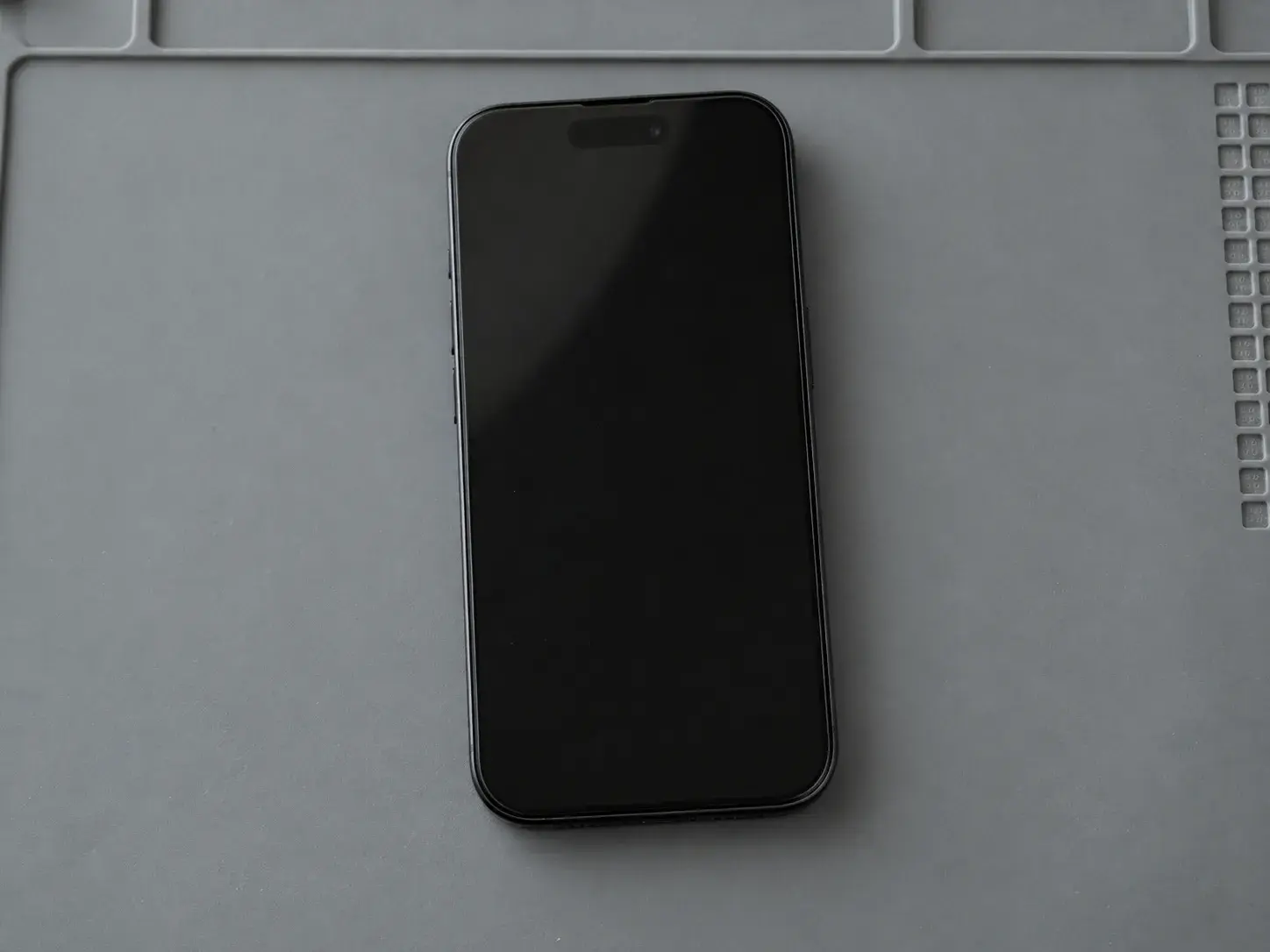
iPhones. The overwhelming majority are cracked screens. Straightforward impact damage. We do not see much corrosion inside iPhones, even on devices that have been wet.
iPads. Two patterns dominate. Cracked panels, and water damage around the circuitry where the display connector sits. That second one comes from spills onto the screen or from the tablet going under entirely.
Laptops. Pressure damage and cracked panels, usually with no visible break in the surface.
Laptop LCDs break differently, and easier
Most laptop screens have no cover glass at all. The outer surface is the polarizer and the panel itself, with a plastic bezel around the edge.
That matters. A phone gives the panel a sheet of hardened glass to hide behind. A non-touch laptop gives it almost nothing.
So the damage patterns shift:
- Closing the lid on a pen, earbuds, or a USB stick cracks the panel instantly
- Picking the machine up by one corner of the open screen twists the panel
- Pressing the screen to point at something leaves a permanent blotch
- Packing a laptop under books in a bag puts slow bending load across the whole panel
Laptops also add a failure mode that phones mostly do not have. The panel connects through a thin video cable routed around or through the hinge, and that cable flexes every time the lid opens.
The best documented example is the issue iFixit named "flexgate." On 2016 and later Touch Bar MacBook Pro models, iFixit reported that the display flex cables fatigue and tear from repeated opening and closing, with the backlight cable typically failing first and producing dark patches along the bottom of the screen.
That is the practical difference between laptops and phones here. A dead backlight with a working panel is uncommon on iPhones. On MacBooks and other laptops it is a regular finding.
Water damage has a color signature
Clean water is a poor conductor. The problem is what is dissolved in it.
Tap water, soda, pool water, and sweat all carry ions. Put voltage across those ions and you get electrolysis. Metal migrates off traces and contacts, and corrosion keeps eating the connection long after the device feels dry.
On a display, water usually announces itself with color. A screen that goes solid green, solid white, or another bright uniform color is a strong liquid signal. Green and white are the two we see most.
That happens because corrosion at the connector or driver interface takes out the data path while power is still reaching the panel. The screen is lit and driven, with nothing valid to display.
Pressure and pinching break screens with no drop involved
This is the one customers argue about most. No drop happened, so the screen should be fine. That is not how glass works.
Sitting on a phone in a back pocket applies a slow bend across the middle. A laptop stacked on an iPad in a bag does the same thing. Sleeping with a phone in the bed sheets puts body weight on it for hours.
Big thin panels are the worst case. An iPad has a lot of surface area and very little thickness, so it flexes easily. Picking one up by a single corner loads the whole diagonal.
Pressure damage also shows up late. A drop can bend the frame slightly without cracking the glass. The bent frame then presses on the panel edge every day until a line appears two weeks later.
Heat, cold, and bad prior repairs
Liquid crystal is a temperature-sensitive material. Park a device on a dashboard in July and the panel can go dark or blotchy. Mild cases recover once it cools. Severe cases do not, because the adhesives and polarizers degrade permanently.
Cold does the opposite. Liquid crystal gets sluggish, so the screen ghosts and smears until it warms up. That one is almost always temporary.
Prior repairs cause a real share of these failures. A flex cable pinched under a bracket, a connector seated at a slight angle, or a cheap panel with weak bonding will all produce lines that look like impact damage.
What you can check before you bring it in
Two things are worth trying at home.
Force restart the device. Software can freeze a display that is physically fine, and a restart rules that out in thirty seconds.
Then take it into a dark room and shine a flashlight at the screen at an angle. If you can make out a faint image, the panel is receiving a picture and the lighting side is the problem. On a laptop that finding is common. On an iPhone it is rare, so a black iPhone screen with no ghost image almost always means the panel is bad.
Everything past that is shop work. Opening a phone or tablet to reach the display connectors takes heat, suction, and the right tools, and a slip tears the flex cable.
If the device has never been wet, skip the theories about debris and corroded pins. That is not what is happening. If it has been wet, you already know, and that changes the whole conversation.
How we confirm it
The fastest honest test is a known-good display. We connect a screen we know works and see what the device does.
If the picture comes back, the panel was the fault. That is the answer most of the time.
If the same lines or blackout show up on a known-good screen, the problem is on the logic board. That is a different repair, and it is worth knowing which one you are paying for before you commit.
What not to do while you wait
Stop pressing on the dark area. Pressure moves liquid crystal around and turns a small cracked cell into a large one.
Stop charging a device that got wet. Voltage plus moisture is exactly the combination that drives corrosion.
And put the heat gun and the hair dryer down. Neither one dries a device out, and both add damage of their own.
---
Comparison Table: Repair Paths
| Situation | Typical fix | What it does not solve |
|---|---|---|
| Black screen, lines, or blotches with intact glass | Display replacement | Nothing further, as long as the frame is straight |
| Cracked panel under intact outer glass | Display assembly replacement | Nothing further, same condition |
| Bent frame pressing on the panel | Frame correction plus display replacement | Skipping the frame means the new screen fails the same way |
| Solid green, white, or bright color screen after liquid exposure | Display replacement, plus board work if the connector area is corroded | A screen alone, if corrosion has reached the board |
| iPad with liquid damage around the display connector | Board cleaning and connector repair, display replacement as needed | A screen swap by itself |
| Laptop screen that cuts out or flickers with lid movement | Display cable replacement | A new panel, since the cable is the fault |
| Same fault appears on a known-good test screen | Board-level repair | A display replacement |
Pricing depends on the device, the model, and which of these applies. We give you the number before we start.
---
FAQs
My screen is black but my phone still rings. Is the phone dead?
No. Sound, vibration, and calls mean the logic board is running. A black screen on a working device means the screen itself is bad.
Why do broken screens show lines instead of random dead spots?
Because the panel is wired as a grid of rows and columns. Breaking one wire takes out every pixel along its length, and that reads as a line.
Can a screen break without the glass cracking?
Yes, and it is common. The internal panel layers are thin and brittle, and the cover glass is the only layer built to absorb impact.
Why did lines appear days after I dropped it?
A drop can bend the frame or stress the panel without breaking anything outright. The damage then progresses under daily flexing and heat cycling until a line shows up.
My screen turned solid green. What does that mean?
That is usually liquid. Solid green and solid white are the two colors we see most on water-damaged displays.
My laptop screen has a dark blotch and the glass looks fine.
Most laptop screens have no protective glass. Pressure on the panel surface, often from closing the lid on an object, damages it directly.
Is a black screen with a spreading dark blob repairable?
The panel itself is not repairable, but it is replaceable. The spreading blob is a cracked liquid crystal cell, and it will keep growing until the display is swapped.