

Thermal Paste vs. Liquid Metal: Why Your PS5 Overheats and How to Fix It
Your PS5 shuts down mid-gaming session. Your gaming PC throttles during intense matches. Both feel like hardware failures, but they're often fixable thermal problems.
Why Your Gaming Device Is Overheating (And It's Not What You Think)
Your PS5 shuts down mid-gaming session. Your gaming PC throttles during intense matches. Both feel like hardware failures, but they're often fixable thermal problems. The culprit? The difference between thermal paste and liquid metal—and which one your device actually needs.
Thermal paste dries and degrades over time. Liquid metal breaks down too, in a different way. Most gamers don't know their console or PC is running on a ticking clock. In Springfield, MA, we repair dozens of overheating PS5s and gaming PCs every month. The fix usually comes down to understanding what's cooling your system and replacing it before it fails completely.
This post explains the science, why devices use different thermal solutions, and how to prevent costly damage to your gaming setup.
What's the Difference? Thermal Paste vs. Liquid Metal
Thermal paste and liquid metal both do the same job: transfer heat from your CPU or GPU to the cooler above it. But they work in completely different ways.
Thermal Paste
Thermal paste is a thick, viscous compound. It stays solid at room temperature and fills the microscopic gaps between metal surfaces. Common brands include Arctic Silver, Thermal Grizzly, and Elemental Dynamics. Thermal paste is stable, safe to apply, and forgives mistakes. It also costs just a few dollars per application.
The tradeoff? Thermal paste has lower thermal conductivity than liquid metal. Heat transfer is good, not exceptional. Over 2-4 years, thermal paste dries out. It hardens, cracks, and loses effectiveness. Your CPU temperature climbs even if the cooler itself is clean.
Liquid Metal
Liquid metal is a gallium-based alloy, usually gallium mixed with indium and tin. It flows like oil at room temperature and creates a perfect seal between surfaces. Its thermal conductivity is roughly 10 to 20 times higher than typical thermal paste. Liquid metal pulls heat away faster and keeps components cooler under load.
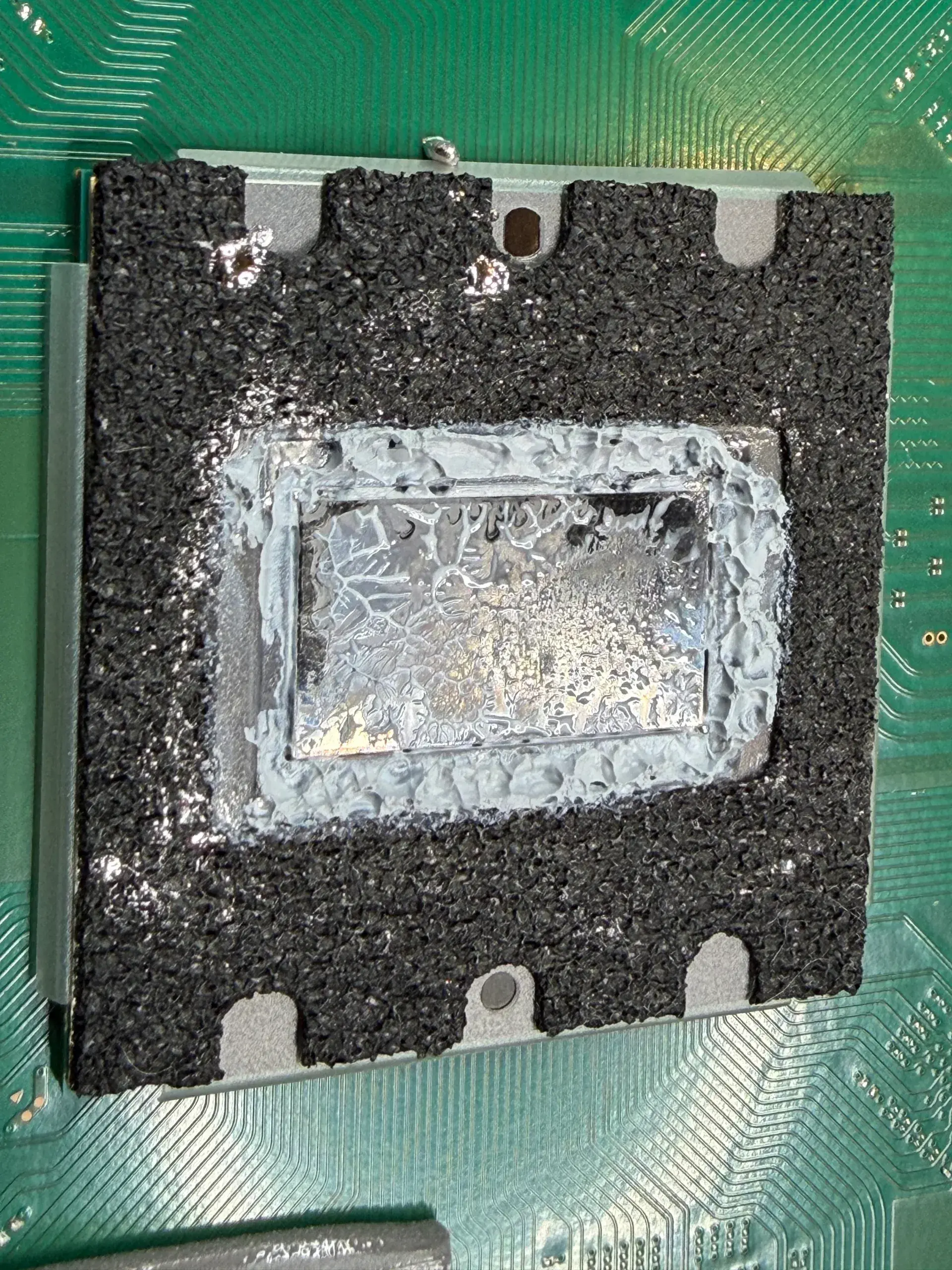
But liquid metal does not last forever. It does not evaporate. Over years of heating and cooling, the gallium reacts with the heatsink's metal surface and forms a hard alloy layer, and some of it oxidizes. After 1-3 years of heavy use, dry spots open up on the chip where no liquid metal remains. Conductivity drops. Your PS5 throttles or shuts down. Liquid metal also conducts electricity, so spilling it on the wrong component kills it instantly.
Why PS5s Use Liquid Metal (And Why PCs Don't)
Sony chose liquid metal for PS5 cooling because the PS5's thermal design is extremely dense. The APU (processor and GPU combined on one chip) dissipates enormous heat in a small space. Thermal paste alone can't move heat fast enough. Liquid metal was the engineering decision that kept the PS5 from throttling during 4K gaming at 60fps.
Gaming PCs don't need liquid metal because they have options. A PC builder can install a larger cooler, add extra case fans, or upgrade to a more efficient power supply. A PS5 is a fixed design. Everything is sealed. Sony had to use the best thermal solution available in the tightest space possible.
The PS5's cooling system is brilliant—until it isn't. Every heat cycle wears the liquid metal layer down a little, so your PS5 slowly loses cooling capacity with every hour of play. After 2-3 years, you'll feel it.
PS5 Overheating: Why It Happens and How to Stop It
Thermal compound breakdown is the main culprit.
Your PS5 runs hot. The APU hits 80-90°C under load. At those temperatures, the liquid metal layer breaks down slowly but steadily. You don't notice at first. Then your PS5 gets louder. The fan spins harder to compensate. Eventually, the console hits its thermal safety limit and shuts down.
Other factors speed up the process:
- Dust buildup on the heatsink (blocks airflow)
- Poor ventilation around the console (traps warm air)
- Extended gaming marathons in warm rooms
- A fan bearing that's starting to fail
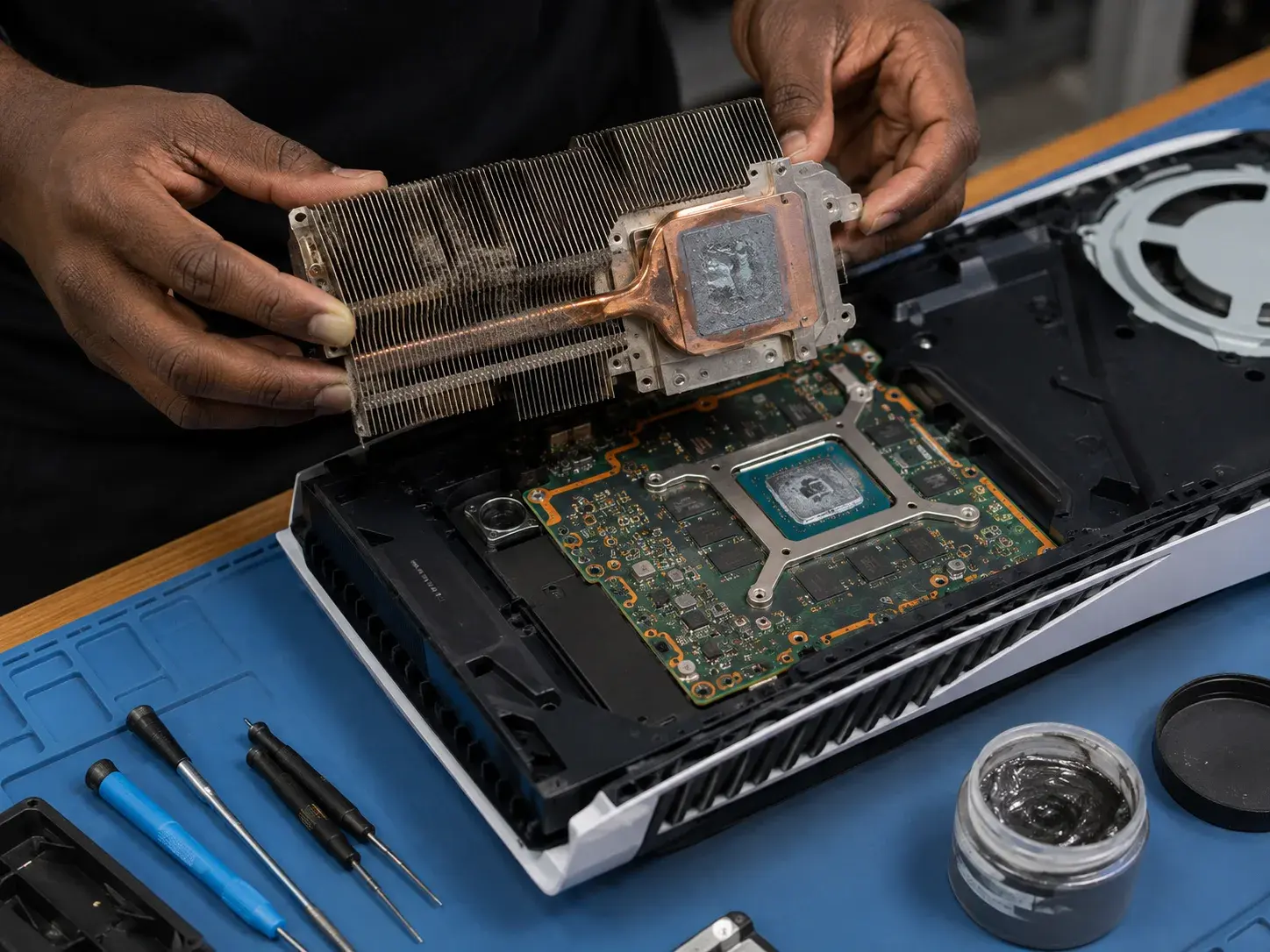
The fix: Replace the liquid metal. A thermal replacement brings your PS5 back to factory performance. We clean the heatsink, remove old compound, apply fresh liquid metal, and test under load. Your console runs noticeably cooler and quieter.
Most PS5 owners never replace the compound. They assume it's permanent. It's not.
PC Overheating: Different Causes, Same Solution
Gaming PCs overheat for different reasons than PS5s.
Thermal paste degradation is the most common cause. Your CPU cooler was packed with thermal paste at the factory. Over 2-4 years, that paste dries out. Cracks form. Heat transfer plummets. Your GPU and CPU temperatures climb to 85-95°C even at moderate loads.
Other causes include:
- Dust-clogged coolers or case filters
- Failing fan bearings (cooler spins slowly or not at all)
- Bent cooler fins (blocked airflow)
- Thermal pads on other components (GPU VRAM, VRM) degraded
Gaming PCs have more flexibility than PS5s. You can replace the CPU cooler entirely. You can add case fans. You can upgrade to a liquid cooler. But the fastest fix is usually a thermal paste replacement and a deep clean.
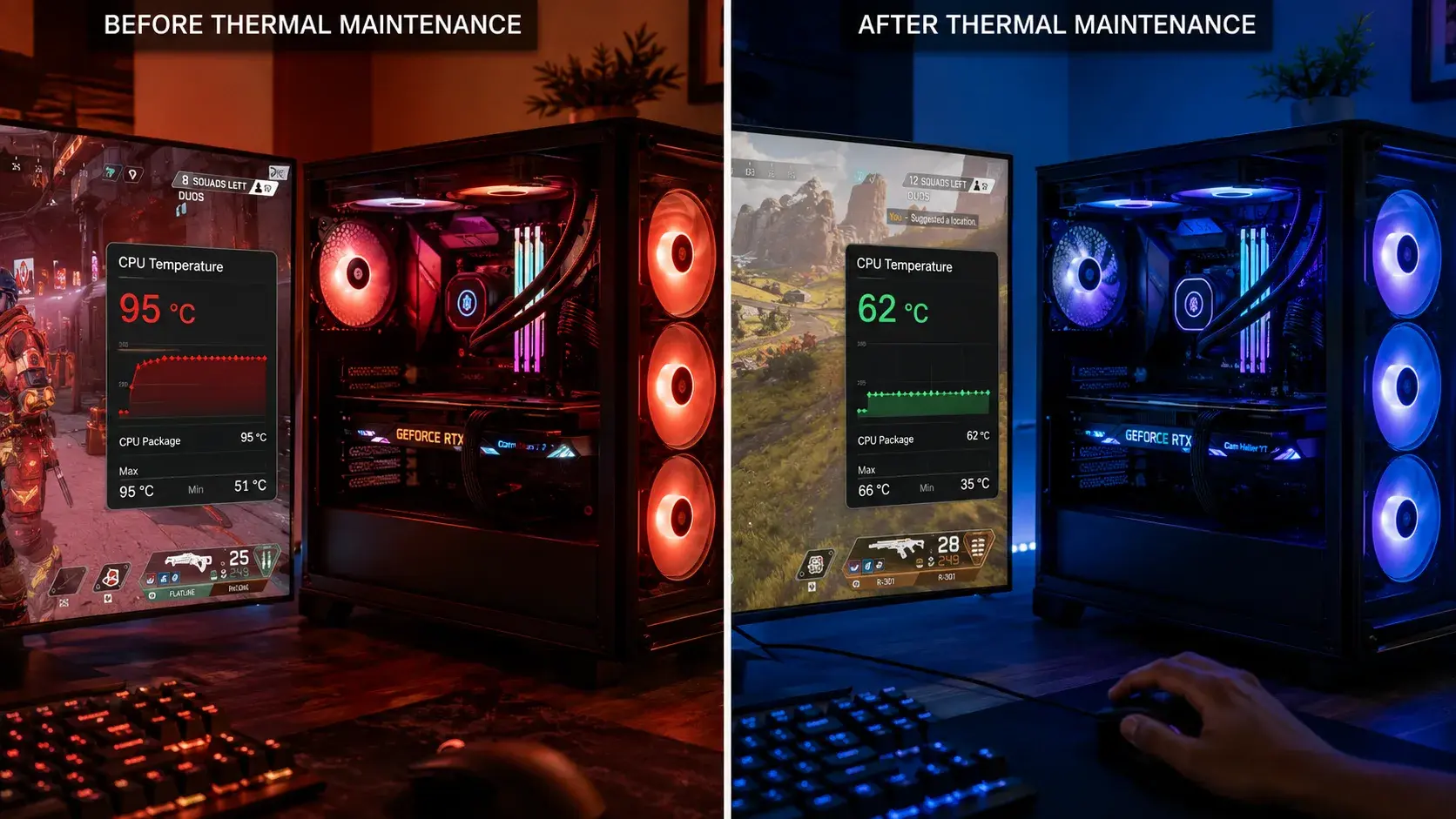
We see gaming PCs hitting 95°C+ because the original paste is years old. A reapplication drops temps by 15-20°C and eliminates throttling.
Thermal Paste vs. Liquid Metal: When to Use Each
| Factor | Thermal Paste | Liquid Metal |
|---|---|---|
| Thermal conductivity | Moderate (3–4 W/mK) | Very high (30–80 W/mK) |
| Best for | PC CPUs, safe long-term cooling | PS5s, ultra-dense heat loads |
| Lifespan | 2–4 years before degradation | 1–3 years before it dries out in spots |
| Application risk | Low; forgiving | High; conductive, can damage boards |
| Cost per application | $5–15 | $20–40 |
| DIY difficulty | Beginner-friendly | Expert-level |
| Conducts electricity | No | Yes (major hazard) |
Key takeaway: A PS5's cooler is designed around liquid metal, so don't swap it for ordinary thermal paste. A standard gaming PC is designed around paste, and liquid metal adds risk most builds don't need. Each solution is engineered for its specific device.
How PHYX Fixes Overheating Issues
We handle both PS5 and PC thermal repairs. Here's what we do:
For PS5s: We remove the cooler, carefully clean away old liquid metal and oxidation, inspect the heatsink and APU for damage, apply fresh liquid metal with precision, and stress-test the console for 30+ minutes to ensure stable cooling. Your PS5 returns to factory thermal performance.
For gaming PCs: We identify the failing component (CPU cooler, GPU cooler, thermal pads), perform a deep system clean (removing dust from fans and heatsinks), reapply thermal paste to the CPU and any other components, test temperatures under gaming load, and advise on cooler upgrades if needed.
We use professional-grade thermal compounds and anti-static precautions. We also verify that your cooling system isn't failing for other reasons—a bent heatsink or a bad fan bearing requires component replacement, not just paste reapplication.
Common Questions
Q: Can I replace thermal paste myself on my gaming PC?
A: Yes, but follow a strict process. Power down completely, discharge static electricity, remove the old paste with isopropyl alcohol and lint-free cloths, apply a small thermal pea to the CPU center, reinstall the cooler, and verify temps. One mistake—too much paste, uneven pressure, or conductive paste near the power delivery—can damage your motherboard. Most gamers skip the process and bring their PC in.
Q: Will replacing thermal paste on my PS5 void the warranty?
A: Your PS5 is likely out of warranty already (most are 1 year). Sony doesn't officially support user thermal maintenance, and opening the console can void the warranty. If your PS5 is still under warranty and overheating, contact Sony first. If it's out of warranty, we can handle the repair safely and much faster than waiting for mail-in service.
Q: Why does my PS5 overheat in summer but not winter?
A: Ambient room temperature matters. Liquid metal breaks down faster when it runs hotter. If your room is 75°F in winter and 82°F in summer, the PS5 will run hotter in summer and throttle sooner. A console on the edge of overheating will fail in warm months and seem fine in cool months. Replacing the compound gives you year-round performance.
Why This Matters Now
If your PS5 is 2+ years old and shutting down, the compound has likely broken down. If your gaming PC is throttling during intense sessions, the paste is probably degraded. Both are fixable. Both are common. And both cost far less to fix now than replacing the device later.
The science is simple: thermal solutions degrade. Replacement is preventive maintenance, not a panic repair.
Get Your System Cooling Again
If your PS5 or gaming PC is overheating, we diagnose and fix it at PHYX Device Repair. We replace thermal compound, clean components, and stress-test under load to confirm stable performance.
Contact us to schedule a repair:
- Phone: 413-234-4313
- Address: 95 Mill Street, Springfield, MA 01108
- Hours: Monday–Friday 10 AM–7 PM, Saturday 12–5 PM
- Email: repairs@phyx.me
PS5 thermal compound replacement typically takes 1–2 days and costs around $140. Gaming PC diagnostics and thermal paste replacement take 1 day; final cost depends on components and what you need. We can provide a detailed estimate after inspection.
Drop off your device, ship it to us, or bring it in for a quick assessment. We'll have you back to stable gaming without throttle, shutdown, or lag.