

Why the Proximity Sensor Matters on Your iPhone 14 Pro Max: Understanding This Hidden Feature
When the iPhone 14 Pro Max proximity sensor fails, the screen stays on during calls and your face taps buttons. How to spot it and fix it.
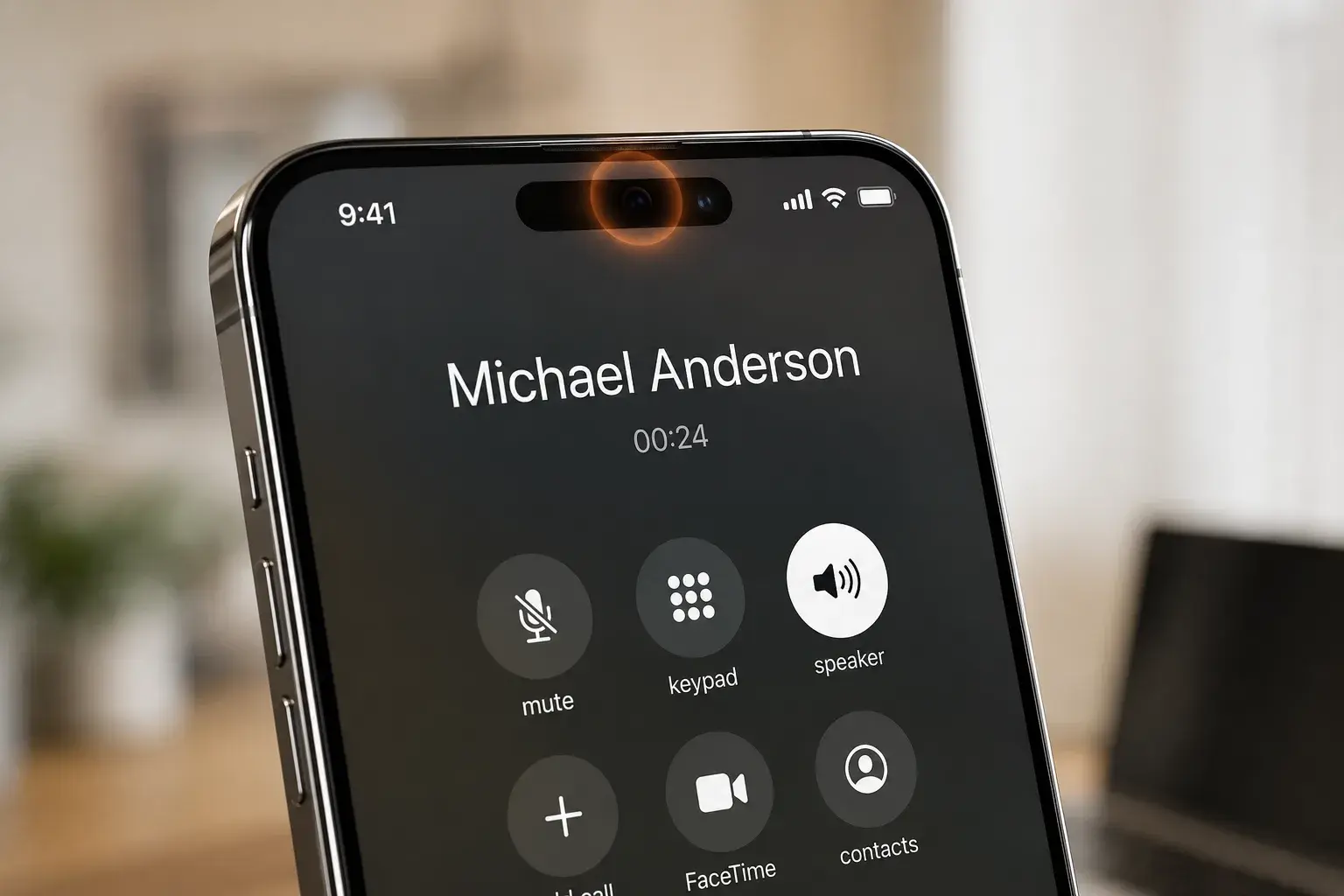
A proximity sensor sounds technical, but it's one of the most useful features on your iPhone 14 Pro Max—and you've probably never heard of it.
Most iPhone users don't realize this tiny sensor exists. Yet when it fails, your face hits the screen during calls. Your ear accidentally taps icons. Battery drains faster. A simple repair at PHYX Device Repair in Springfield, MA can restore it in hours.
This guide explains what the proximity sensor does, why it matters, and how to know if yours has stopped working.
What Is the Proximity Sensor?
The proximity sensor is a small infrared sensor near the top of your iPhone screen. It detects when your face is close to the device during a call.
When you're on a call, the sensor tells your phone to turn off the screen. This prevents accidental taps to the touchscreen while your ear is against it. It also saves battery.
When the call ends, the screen turns back on so you can use it normally. The whole process happens automatically.
How the Proximity Sensor Works
Your iPhone has an infrared light and receiver built into the top of the display area. During a call, the sensor continuously measures the distance between your face and the screen.
If your face is close (less than 2 inches), the screen goes dark. This is called proximity mode. When you pull the phone away, the sensor detects the change and turns the screen back on.
The sensor works in bright sunlight and dim rooms. It doesn't require calibration or settings changes—it just works in the background.
Signs Your Proximity Sensor Needs Repair
Your screen stays on during calls. Even when your ear is against the phone, the screen should go black. If it's bright and active, the sensor likely has failed.
You accidentally hit buttons while talking. When the screen stays on, your face touches the speaker, volume buttons, or end-call button. This ends calls unexpectedly or adjusts volume mid-conversation.
Your screen goes black and won't wake during calls. The opposite failure: the sensor thinks something is always in front of it, so the screen stays dark until the call ends.
Face ID behaves oddly. The proximity sensor and Face ID are near each other. If the area around the sensor is damaged, Face ID may not recognize your face correctly.
Battery drains faster than normal. A screen that won't turn off uses significantly more power than one that's properly managed during calls.
Your phone feels warm during long calls. The display uses battery power and generates heat. A constantly-on screen during calls creates unnecessary heat buildup.
Any combination of these signs means the proximity sensor needs professional diagnosis and repair.
Can You Repair It Yourself?
No. The proximity sensor sits under the display on the iPhone 14 Pro Max. DIY replacements require specialized tools and skill.
Attempting a self-repair risks damaging Face ID, the camera, or other components. One slip can turn a simple sensor repair into a costly full-screen replacement.
PHYX Device Repair specializes in iPhone screen and sensor diagnostics. We can test the sensor, identify the exact failure, and complete most repairs the same day.
Proximity Sensor Repair at PHYX in Springfield, MA
PHYX Device Repair has repaired iPhone proximity sensors for customers across Western Massachusetts, including Springfield, Chicopee, West Springfield, Agawam, and nearby towns since 2015.
We handle iPhone 14 Pro Max diagnostics, repairs, and replacements. Most repairs are completed same-day. We guarantee our work: if something isn't right after the repair, we take another look at no charge.
Repair costs vary by the underlying issue. If the sensor is damaged, a screen replacement may be necessary. We'll diagnose the problem and quote you a price before we start.
Why choose PHYX?
We've earned 4.5 out of 5 stars from 769+ Google reviews. The Valley Advocate Readers' Poll named us Best Phone & Computer Repair Shop 2026. We were also honored as Readers' Choice 2023 by the Daily Hampshire Gazette.
Our technicians work on iPhones daily. We stock common parts and can order specialized components if needed. Every repair is backed by our guarantee.
Will My Data Be Safe?
Yes. We don't delete your data during proximity sensor or screen repairs. We strongly recommend backing up your iPhone before any repair, but your photos, messages, and apps remain intact.
If you need help with a backup before your appointment, ask us. We can walk you through the process or assist you in-store.
How Long Does It Take?
Proximity sensor diagnosis takes 15-30 minutes. If we need to replace the screen to fix the sensor, the repair typically takes 1-2 hours depending on how busy we are.
We work on walk-in appointments and scheduled repairs. For complex cases or if parts need to be ordered, we'll give you a timeline before we start.
Proximity Sensor Repair Cost
Most proximity sensor repairs or screen replacements for the iPhone 14 Pro Max range from $95 to $160, depending on whether the sensor alone is faulty or the entire display module needs replacement.
This includes parts and labor. We add a 3.5% processing fee for card payments. No hidden fees.
We accept cash, card, and payment apps. We also sometimes buy and trade used iPhones, so ask about trade-in value if you're considering an upgrade.
Prevention Tips
Avoid drops and impacts. The proximity sensor can fail if the phone is dropped or struck hard. Use a protective case and screen protector to reduce risk.
Keep the sensor area clean. Dust or debris near the top of the screen can affect sensor accuracy. Gently wipe the top of the screen with a soft cloth monthly.
Don't cover the sensor. If you use a screen protector, make sure it doesn't cover the proximity sensor area. A covered sensor can malfunction.
Avoid extreme heat. Prolonged exposure to direct sunlight or heat (like leaving your phone in a hot car) can damage the sensor over time.
Ready to Fix Your iPhone 14 Pro Max?
If your screen stays on during calls or you're experiencing any of the signs above, bring your iPhone to PHYX Device Repair in Springfield, MA. For the latest iOS updates and official device support, check Apple's iPhone support pages.
Visit PHYX at:
95 Mill Street, Springfield, MA 01108
(413) 234-4313
Monday–Friday: 10:00 a.m.–7:00 p.m.
Saturday: 12:00 p.m.–5:00 p.m.
We're located in the Mill Park Office Commons complex—look for the green sign. Most repairs are completed same-day. Walk-ins welcome.
Call or text us at (413) 234-4313 with questions about your iPhone. We'll answer quickly and honestly.
Comparison Table
| Issue | Symptom | Repair Time | Typical Cost |
|---|---|---|---|
| Proximity Sensor Malfunction | Screen stays on (or stays black) during calls | 1-2 hours | $95-$160 |
| Screen + Sensor Damage | Sensor problem plus visible display damage | 1-2 hours | Quoted after diagnosis |
| Face ID + Proximity Issues | Face ID fails along with proximity problems | Diagnostic required | Quoted after diagnosis |
FAQ
Can the proximity sensor fail on its own, or is it always caused by damage?
The proximity sensor can fail naturally over time due to dirt accumulation, software glitches, or component degradation. It's not always caused by a drop. If your iPhone hasn't been damaged recently, the sensor may have simply worn out after heavy use.
If I ignore the proximity sensor problem, will it damage other parts of my iPhone?
Ignoring it won't damage other parts directly, but it will drain your battery faster and make calls frustrating. We recommend getting it checked soon. PHYX in Springfield can diagnose the issue in 15 minutes.
Does Apple's warranty cover proximity sensor repair?
Apple's standard warranty covers defects, not accidental damage. If the sensor failed from a drop, it isn't covered. AppleCare+ can lower the cost of an accidental-damage repair. A third-party repair can also affect your Apple warranty, so if your phone is still covered, check with Apple first.
Can you replace just the sensor, or do you have to replace the entire screen?
It depends on what failed. We diagnose first. Sometimes a software update fixes false sensor errors. If the hardware is damaged, we'll explain whether a sensor repair or a screen replacement is needed before we start.