
iOS 26 Update: What Springfield, MA iPhone Users Need to Know Now
iOS 26 brings Apple Intelligence, encrypted RCS messaging, and critical security patches, but not every iPhone handles it the same way. Here's what Springfield users should check before updating.
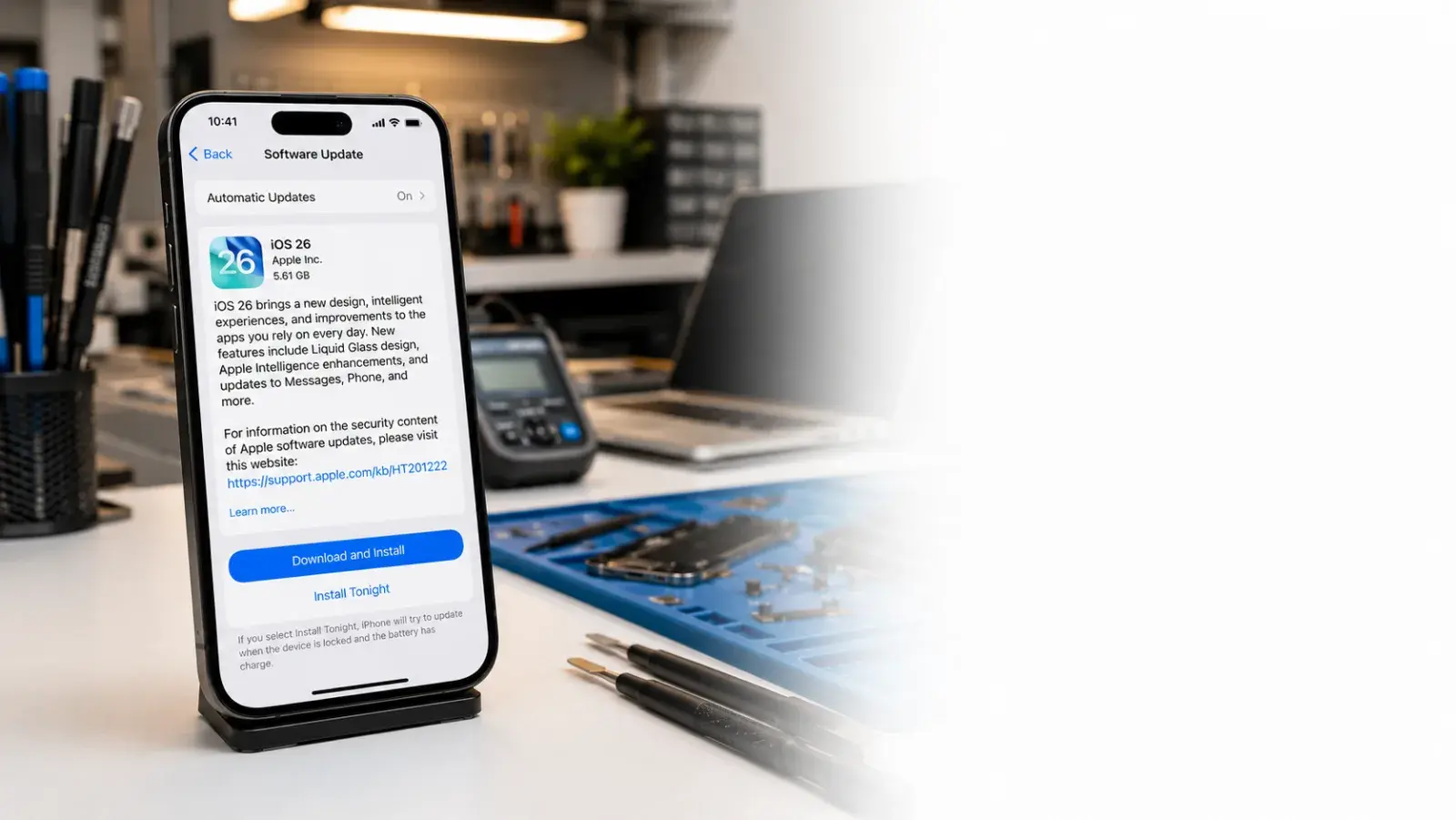
Apple released iOS 26 in September 2025, and adoption in Springfield, MA has been steady. The update introduces AI-powered features, end-to-end encrypted messaging, and critical security patches. But not every iPhone handles it the same way.
This guide answers the questions we hear most at PHYX Repairs in Springfield: What's actually new? Will it slow my phone down? Should I update now or wait? We'll cut through the hype and give you straight answers.
What's Actually New in iOS 26
Apple Intelligence: AI built into your iPhone
iOS 26 brings Apple Intelligence, Apple's on-device AI system. It rewrites emails, summarizes notifications, and generates images without sending your data to external servers. Privacy matters here, so processing happens locally on your device.
If you have an iPhone 15 Pro or newer, you get full Apple Intelligence support. Older models get limited features or none at all.
End-to-end encrypted messaging with Android users
iOS 26 adds RCS (Rich Communication Services) with end-to-end encryption. When you text Android users, messages are now encrypted like iMessage. You'll see a lock icon in chats where encryption is active.
Improved battery management
The Adaptive Power Mode learns how you use your phone and makes power adjustments automatically. It's smarter than Low Power Mode and doesn't throttle performance as aggressively.
Cleaner notification handling and Maps upgrades
Notifications now summarize better. Maps shows trending places based on your location and search history. These feel small but improve everyday usability. Apple's official iOS 26 page walks through every feature in detail.
Will iOS 26 Slow Down My iPhone?
For newer iPhones (iPhone 12 and later): Probably not.
Apple optimized iOS 26 for devices released in the past three years. Performance usually stays flat or improves slightly after the initial installation settles.
For older iPhones (iPhone 11 and earlier): Possibly.
Devices over four years old may see slower app launches or brief lag when multitasking. The AI features alone don't cause this, but the overall system load can. If your iPhone is already running warm or has low storage, iOS 26 will feel noticeably slower.
Storage is the real culprit.
iOS 26 requires 4–6 GB of free space to install. If you're under 10 GB free, the update crawls. Before updating in Springfield, clear old photos, delete unused apps, and offload videos.
Battery Drain: Fact or Fiction?
iOS 26 can drain battery faster on older devices.
New AI processing, especially on entry-level iPhones that support it, consumes more power. Apple Intelligence processes locally, so it's more efficient than cloud-based AI, but it still has a cost.
Real-world reports from users in Western Massachusetts show:
- iPhone 15 Pro models: minimal impact or slight improvement
- iPhone 14 and 13 models: 5–10% faster drain over a day
- iPhone 12 and older: 10–15% faster drain, especially in the first few days post-update
What improves battery life:
- Turn off background app refresh for apps you don't need
- Disable Location Services for apps that don't require it
- Use Adaptive Power Mode instead of Low Power Mode
- Turn off Apple Intelligence features you don't use
If battery drain gets severe after updating, bring your iPhone to PHYX Repairs in Springfield. We can diagnose whether it's a software issue or a failing battery.
App Compatibility: Will Your Favorite Apps Still Work?
Most apps from the App Store work fine on iOS 26. However, some older apps built before 2020 may crash or run slowly.
Check before updating:
Visit the App Store for your key apps. Look for "Requires iOS 26" or later. If an app says "Requires iOS 16 or later," it should work fine.
If you rely on a specific app and want to be safe, ask the developer on Twitter or through their support form whether they've tested iOS 26 compatibility.
Common culprits for crashes:
- Banking apps that haven't updated since 2022
- Old games optimized for iPhone XS and earlier
- Niche productivity tools with small dev teams
At PHYX Repairs, we can test your specific apps before you commit to the update.
iOS 26 Compatibility: Which iPhones Support It?
iOS 26 runs on iPhone 11 and later. If you have an iPhone XS or iPhone XR, you're stuck on iOS 18. Apple doesn't support older hardware.
Full compatibility list:
- iPhone 15 Pro Max, Pro, Plus, and 15
- iPhone 14 Pro Max, Pro, Plus, 14, and 14 Plus
- iPhone 13 mini, 13, 13 Pro, and 13 Pro Max
- iPhone 12 mini, 12, 12 Pro, and 12 Pro Max
- iPhone 11 and iPhone 11 Pro models
- iPhone SE (2nd, 3rd, and 4th generations)
If your iPhone model isn't listed, you've hit the end of iOS updates for that device.
Should You Update Now or Wait?
Update now if:
- Your iPhone is an iPhone 14 or newer
- You have more than 15 GB free storage
- You use Apple services like iCloud or Mail
- You want the latest security patches
Wait a few weeks if:
- Your iPhone is an iPhone 12 or older
- You have a specific app you rely on that hasn't confirmed iOS 26 support
- Your device already runs slow
- Battery life is critical to your workflow
How to Update to iOS 26 in Springfield
- Back up your iPhone using iCloud or your computer.
- Plug in your phone and connect to Wi-Fi.
- Go to Settings > General > Software Update.
- Tap Download and Install.
- Your iPhone will restart. Don't interrupt this process.
The update typically takes 30 minutes to an hour.
Troubleshooting iOS 26 Problems
Stuck on the loading screen?
Force restart your iPhone:
- iPhone 14 or newer: press Volume Up, then Volume Down, then hold Side button until the recovery screen appears.
- iPhone 13 or older: hold Home and Top buttons together for 10 seconds.
Let it sit for five minutes, then connect to Wi-Fi and try again.
App crashes after updating?
Delete the app from your phone, restart (hold down the Side button), then reinstall from the App Store. Most crashes resolve this way.
Update won't download?
Free up storage. Delete old photos, clear your cache (Settings > General > iPhone Storage, then delete large apps you rarely use), and try again.
Battery drains within hours of updating?
Wait 48 hours. iOS performs indexing and optimization in the background after an update. Battery drain usually normalizes by day three.
If it doesn't improve, the battery itself may be failing. PHYX Repairs can test your battery for free and replace it same-day if needed.
What Happens If iOS 26 Breaks Your iPhone?
Don't panic. In most cases, a failed update or corrupted installation can be recovered.
If your iPhone won't boot after the update:
Bring it to PHYX Repairs in Springfield at 95 Mill Street. We can plug it into our recovery system and reinstall iOS 26 without losing your data. Most recoveries take under two hours.
If you genuinely hate iOS 26, we can possibly roll back to iOS 18 (if your apps still support it), though Apple makes this increasingly difficult.
The Bottom Line for Springfield iPhone Users
iOS 26 is stable and worth updating if your iPhone is reasonably new and you have storage space. The security patches alone justify the update. Battery drain is real on older devices but manageable with a few tweaks. You can review exactly what each patch addresses on Apple's security updates page.
If you're on an iPhone 11 or older, wait until iOS 26.2 or 26.3 for stability patches. Apple typically releases these within 4–6 weeks.
Contact PHYX Repairs for Pre-Update Help
Not sure if your iPhone can handle iOS 26? Bring it in.
We'll check your storage, test battery health, and confirm app compatibility before you update. Many updates fail due to preventable issues—we catch them first.
PHYX Device Repair
95 Mill Street, Springfield, MA 01108
(413) 234-4313
Hours:
Monday–Friday: 10:00 AM–7:00 PM
Saturday: 12:00 PM–7:00 PM
Visit PHYX online: phyx.me
We've served Springfield and surrounding communities (Chicopee, West Springfield, Agawam, Westfield, Longmeadow) since September 2015. Most repairs finish same-day. If something doesn't work right after we help, we take another look—we stand behind our work.
Voted Best Phone & Computer Repair Shop 2026 by Valley Advocate Readers' Poll. 4.5 out of 5 stars from 769 verified Google reviews.
FAQ
Can I update to iOS 26 if I'm still on iOS 17?
Yes. iOS updates stack, so your phone will install all missing updates in sequence. It takes longer (30–60 minutes), but it's safe. Make sure you have at least 20 GB free and stay connected to Wi-Fi the entire time.
Will updating to iOS 26 erase my data?
No. iOS updates preserve all your photos, messages, apps, and settings. Back up anyway—it takes five minutes and is never a waste. Use iCloud (Settings > [Your Name] > iCloud > iCloud Backup) or connect to a Mac or PC with Finder.
Is Apple Intelligence available in Springfield?
Apple Intelligence rolled out gradually starting in October 2025. If you have an iPhone 15 Pro or later, check Settings > Apple Intelligence to see if it's available in your region. Most Massachusetts users have access as of mid-2026.