

eSIM vs Physical SIM: Which Is Better?
eSIM lets you activate and switch carriers in minutes with no card. A physical SIM moves easily between phones. Here is how to pick.
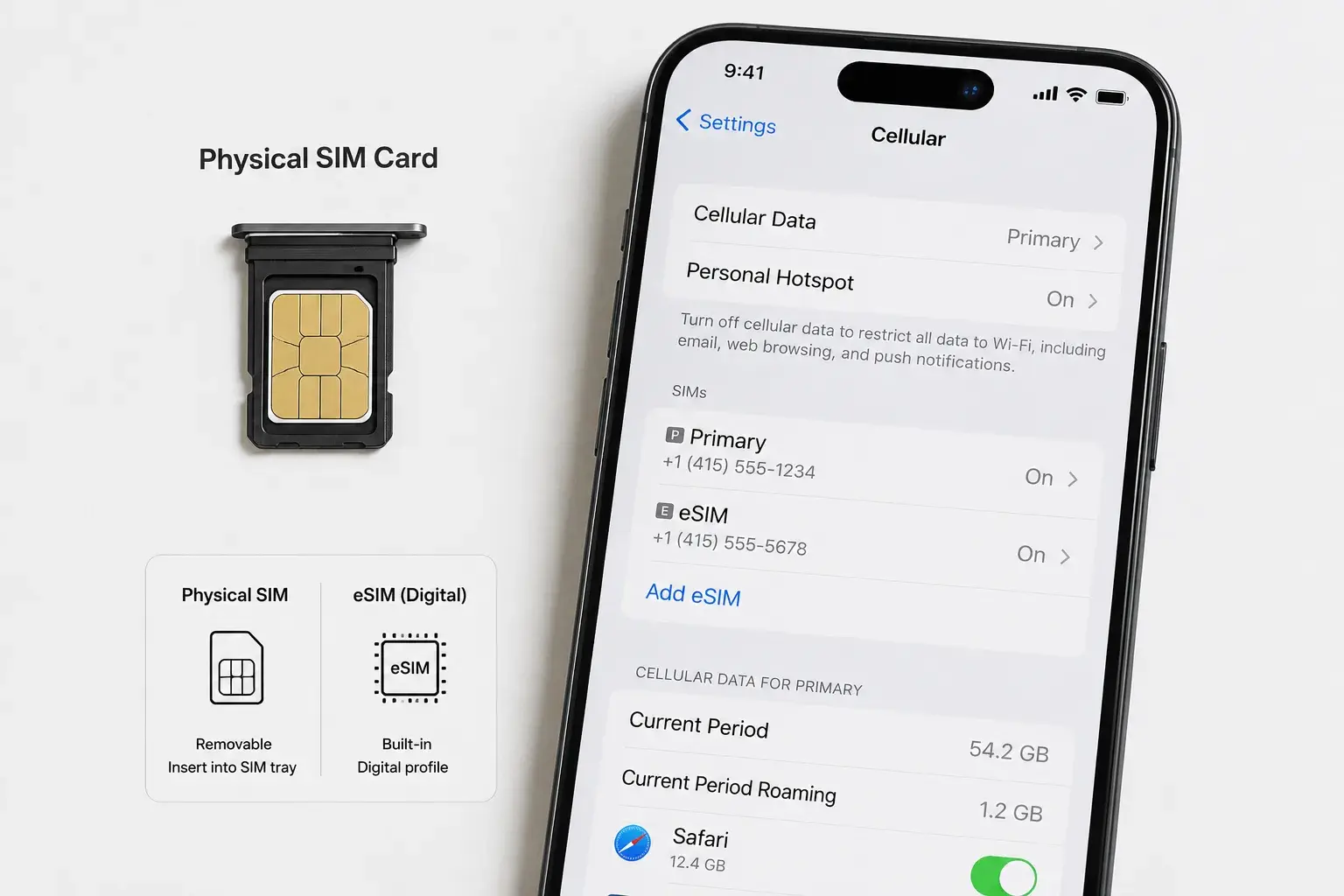
Your next phone will probably be eSIM-only. But for most people, the choice between eSIM and physical SIM doesn't matter yet.
eSIM (embedded SIM) technology is spreading. Major carriers support it. New phones ship with it. Yet many users don't understand what eSIM is or why they'd switch.
This guide explains the difference, breaks down the real benefits, and helps you decide which one makes sense for your situation.
What Is a Physical SIM?
A physical SIM is the tiny card you've used for 25 years. It's a plastic chip about the size of a fingernail. You insert it into a slot on your phone. The SIM stores carrier information and connects your phone to the network.
Physical SIMs are durable. They last for years. You can remove them and insert them into another phone immediately.
The downside: the slot takes space. Moving to a new phone means finding your old SIM or waiting for a replacement card to arrive.
What Is an eSIM?
An eSIM is a SIM card built into your phone's hardware—no physical card. Carrier information is downloaded wirelessly and stored in memory.
Instead of swapping cards, you scan a QR code or enter an activation code. Your carrier activates your number within minutes. The entire process happens on your phone.
You can have multiple eSIMs on one phone. Switch carriers by tapping a setting. No cards involved.
How eSIM Works
When you buy a new phone with eSIM support, you:
- Scan a QR code from your carrier or connect to your carrier's app
- Enter your account information
- Wait 5-10 minutes for activation
- Start using your number
That's it. The eSIM profile is downloaded to your phone's embedded chip. You're live.
To switch carriers, you deactivate the old eSIM and activate a new one. No card swapping. No store visit. No waiting for mail.
eSIM vs. Physical SIM: Head-to-Head Comparison
| Factor | eSIM | Physical SIM |
|---|---|---|
| Setup time | 5-10 minutes (wireless) | 24-72 hours (mail) or immediate (store visit) |
| Switching carriers | Fast (activate a new profile) | Requires new card and slot swap |
| Durability | Tied to phone hardware | Can be removed and reused |
| Device transfer | Requires deactivation/reactivation | Move card to new phone instantly |
| Cost | Free on most carriers | Free (usually) |
| Dual SIM | Yes (multiple eSIMs or eSIM + physical) | One at a time (unless dual-slot phone) |
| Travel | Switch carriers without new card | Must carry multiple cards or find local SIM |
| Carrier support | Growing but not universal | Universal (all carriers support it) |
| Phone space | No slot required (saves space) | Requires dedicated slot |
Real-World Advantages of eSIM
Fast carrier switching. If your carrier's service is poor, switch to a competitor without waiting for a card. Moving your number still goes through the carriers' porting process.
Dual SIM convenience. Separate work and personal numbers on one phone. Switch between them by tapping a setting. No second device needed.
Travel simplicity. Buy a local SIM in another country by downloading an eSIM profile. No need to carry physical cards or find a shop that sells them.
Device switching. Get a new phone? Your number transfers by scanning a QR code or using your carrier's transfer tool. No need to wait for a physical SIM or visit a store.
No SIM slot. Manufacturers save space by eliminating the SIM slot. iPhones now use this space for larger batteries or thinner designs.
Real-World Disadvantages of eSIM
Carrier dependence. Not all carriers support eSIM yet. If you're on a smaller carrier or MVNO, physical SIM might be your only option.
Activation timing. Activation happens online, but it requires a working phone and internet connection. If your phone is broken, activating eSIM is harder.
Device binding. An eSIM is tied to your phone's hardware. If your phone dies, you can't just move the card to another device instantly. You need to contact your carrier to move the eSIM profile.
Backup complexity. Traveling and your phone gets stolen? Without a physical card, getting a temporary replacement is harder. You'll need to contact your carrier remotely.
Older phones. Most phones made before 2018 don't support eSIM. If you have an older device, physical SIM is your only option.
First activation. Some carriers make first-time eSIM activation complicated. You might need to set up with a physical SIM first, then switch to eSIM.
Which Carriers Support eSIM?
Full support (all plans):
- Verizon
- AT&T
- T-Mobile
- Most major carriers in Europe and Asia
Partial support (some plans):
- Many MVNOs (Mint, Visible, etc.)
- Regional carriers vary
Check with your carrier. Visit their website or call to confirm eSIM support for your plan.
eSIM for International Travel
eSIM shines when traveling. Instead of finding a local SIM shop, you download an eSIM profile for that country from your phone.
Providers like Airalo and Flexiroam sell eSIM plans for 190+ countries. Prices range from $5 for a week to $50 for a month of data.
This beats buying physical SIMs at airports (expensive) or traveling without connectivity.
For travel, eSIM wins.
eSIM for Business (Dual Numbers)
Many professionals use two phone numbers: one personal, one work. Dual SIM phones let you do this without carrying two devices.
With eSIM, you can:
- Keep your personal number active
- Add a work eSIM to the same phone
- Switch between them by tapping Settings
- Receive calls and texts on both simultaneously
Some phones support dual eSIM (two eSIMs at once). Some support eSIM + physical SIM (one eSIM and one physical card).
For professionals, dual eSIM is practical.
Should You Switch to eSIM?
Switch if:
You travel frequently. eSIM makes international connectivity easy.
You need dual numbers (work + personal). eSIM enables this without a second phone.
Your carrier fully supports eSIM. No workarounds needed.
Your phone is iPhone 14 or newer, or Samsung Galaxy S23 or newer. These phones strongly support eSIM.
Stay with physical SIM if:
Your carrier doesn't support eSIM. Check first—don't assume.
You have an older phone (mostly pre-2018). Physical SIM is your only option.
You rarely travel. The benefit of fast carrier switching doesn't apply.
You want a backup plan. Physical SIM cards are tangible—you can move them between phones if one breaks.
Getting a SIM or eSIM at PHYX
PHYX Device Repair in Springfield, MA carries Lyca Mobile prepaid plans, with SIM or eSIM setup done at the counter. Call or stop by for current plan pricing.
We don't port numbers or change service for other carriers. If you want to keep your number or switch carriers, call your carrier with your account information. If you're signing up for Lyca, we activate your new line on the spot.
Visit PHYX at:
95 Mill Street, Springfield, MA 01108
(413) 234-4313
Monday–Friday: 10:00 a.m.–7:00 p.m.
Saturday: 12:00 p.m.–5:00 p.m.
FAQ
Can I have both eSIM and a physical SIM on the same phone?
Yes, if your phone supports dual SIM. Many newer Android phones and non-US iPhones have an eSIM plus a physical SIM slot. You activate one eSIM and keep one physical card in the slot. Both are active at the same time. US iPhone 14 and later models are eSIM-only.
What happens to my eSIM if my phone breaks or is lost?
Contact your carrier immediately. They can deactivate the eSIM on the broken phone and move your profile to a replacement phone. It's not instant (requires carrier processing), but it works. With physical SIM, you just move the card. With eSIM, you need carrier support.
Can I use eSIM on an older iPhone?
Usually, yes. iPhones from the iPhone XS and XR (2018) onward support eSIM. Newer models can hold more eSIM profiles. Carrier support determines whether you can activate eSIM, but on those models the hardware isn't the issue.
Is eSIM more secure than physical SIM?
Not necessarily. Both are secure for normal use. eSIM requires account authentication online, while physical SIM is just a card. eSIM protects against physical theft of SIM cards. Physical SIM protects against remote account takeover. They're different security models.