

Can PHYX Remove Apple ID from Your iPhone or MacBook? Here's What We Can (and Can't) Do
Learn what PHYX can and can't remove from locked iPhones and MacBooks—plus what credentials you'll need to get back in.
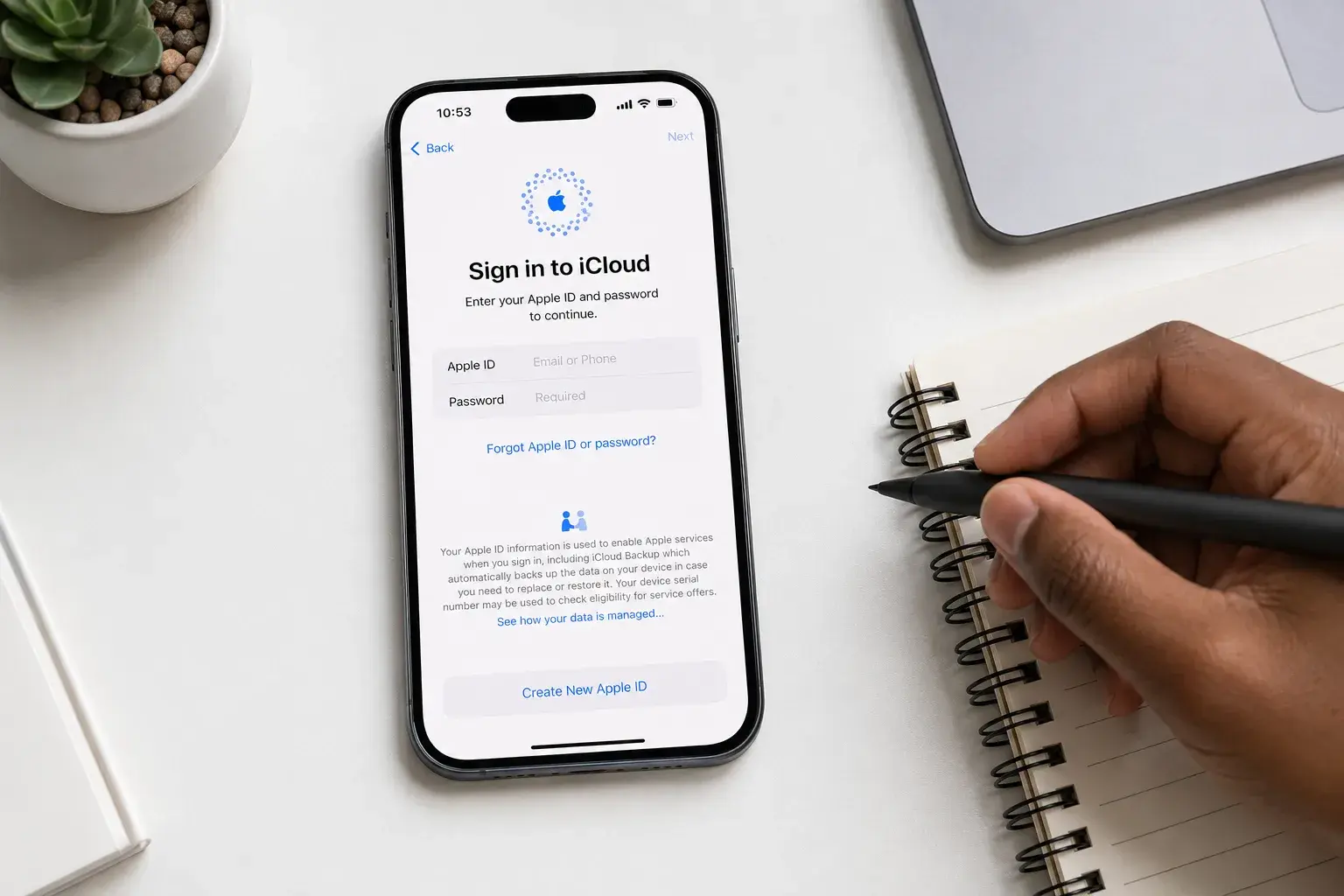
You picked up a used iPhone. You inherited your parent's MacBook. Maybe you forgot your own passcode. Whatever the reason, you're locked out—and you're wondering if PHYX can remove that Apple ID or passcode barrier.
Short answer: Not fully. But here's what's actually possible, what isn't, and why.
iPhone Passcode Removal: We Can Do This (But Apple ID Stays)
If you own the iPhone and simply forgot the passcode, we have good news. PHYX offers iPhone passcode removal for $40.
Important: removing the passcode erases the phone. There is no way to recover a forgotten passcode. We restore the iPhone, and that wipes everything on it: photos, messages, apps, and settings. By default, all of that information is lost. If you have an iCloud backup, you can restore it after you set the phone up again.
Here's the second catch: Apple's security doesn't disappear when the passcode does. After the restore, the phone connects to the internet and asks for the Apple ID email and password that were on it before. Apple calls this Activation Lock. You'll need both to set the phone up again.
This works only if you know your Apple ID credentials. If you don't, that security wall remains—and we can't bypass it.
What you'll need to bring:
Your Apple ID email and password (or access to recover them through Apple's account recovery). If you inherited or purchased the phone secondhand, contact the previous owner for those credentials, or use Apple's lost password reset tool at iforgot.apple.com.
The bottom line: We remove the passcode by erasing the phone. Then Apple asks you to sign in with your Apple ID. Both pieces need to work for you to use the phone.
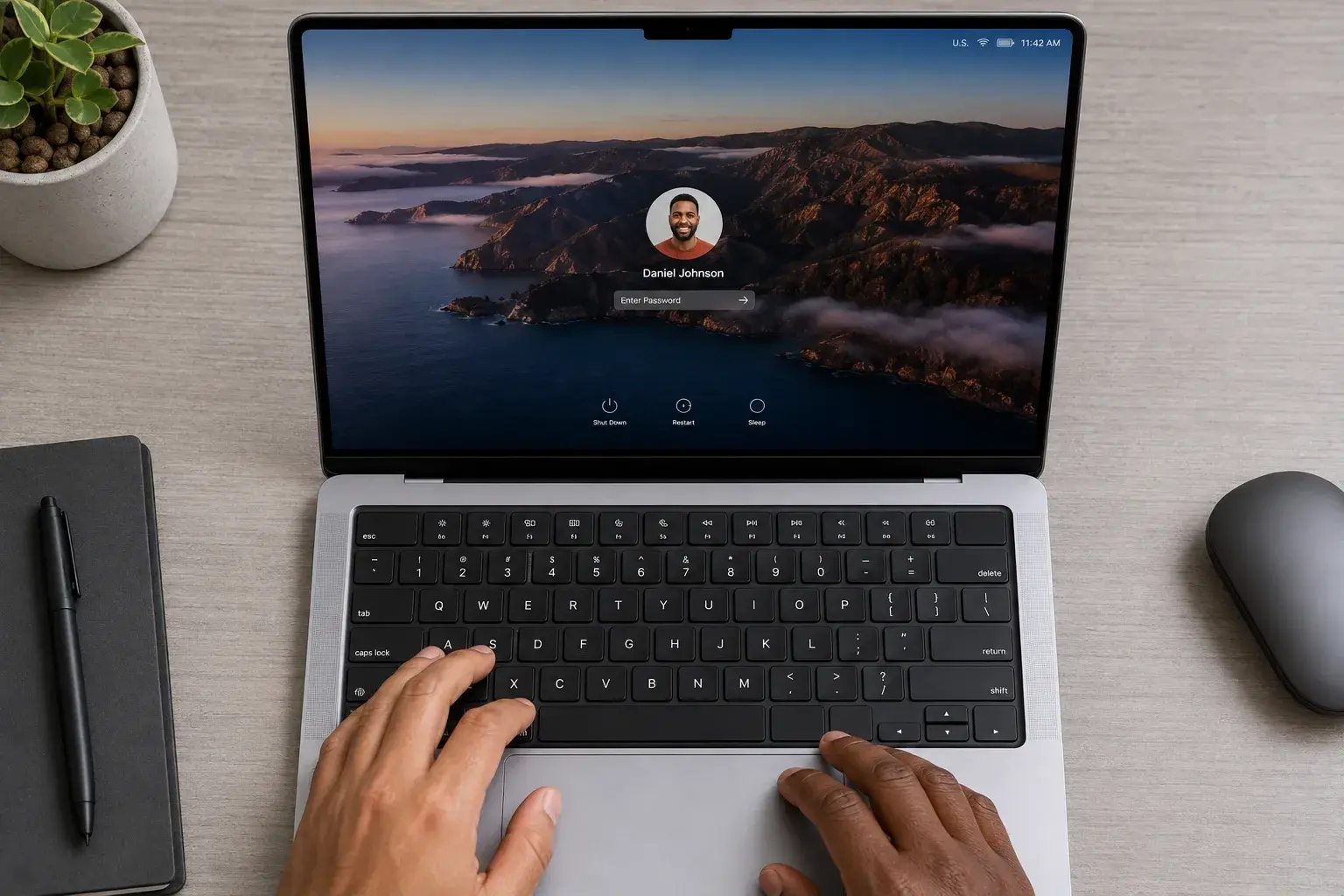
MacBook Passcode and Apple ID: We Cannot Remove These
MacBooks are different. We cannot remove the login password, the Apple ID, or the security protections tied to them for any model made after 2015.
This is by design. Apple built Mac security so tightly into the system that removing these credentials without the actual password or Apple ID would break the entire OS. There are no workarounds, no back doors, and no exceptions—even for devices you own.
If you're locked out of a MacBook with no password and no Apple ID access, your only option is to contact Apple directly. Apple can help if you bring proof of purchase, a valid ID, or in some cases a death certificate or other credentials showing legitimate ownership. They'll verify your information and guide you through official recovery.
We can't help with locked Macs, but Apple—as the manufacturer—has the tools and authority to do this verification and unlock process. It takes time and patience, but it works.
When We Can't Help (and Why That's a Good Thing)
PHYX cannot assist with:
- iPhones where you don't know the Apple ID password
- Any Mac locked to credentials you don't possess
- Devices without proof of ownership
- Phones or computers you inherited but can't verify you own
This isn't us being difficult. Apple ID and Mac security exist to protect you from theft and unauthorized access. If we could remove them without verification, so could anyone else.
If you purchased a device secondhand and the previous owner won't provide credentials, Apple can help—but you'll need proof that you bought it.
What to Do Before You Contact Us
For iPhones:
Know your Apple ID email and password. If you don't, reset it at iforgot.apple.com before you visit PHYX. Bring the phone and be prepared to set it up fresh after we remove the passcode, because the phone will be erased.
For MacBooks:
Don't call us about a locked Mac newer than 2015 unless you have the password or can contact Apple for account recovery. We'll point you toward Apple's official channels, which is the only real solution.
FAQ
Q: My iPhone shows "iPhone is disabled." Can you fix it?
A: That message usually means too many wrong passcode attempts. We can remove the passcode ($40), but that erases the phone, and you'll still need your Apple ID password to set it up afterward. Come in with your Apple ID info ready, or reset it at iforgot.apple.com before you visit.
Q: I bought a used MacBook and it's asking for a password. What do I do?
A: Contact the seller for the login password. If you can't reach them, Apple can help—bring proof of purchase or another valid credential (like a death certificate if you inherited it) to an Apple Store or contact Apple Support online. We unfortunately can't remove the password ourselves—Mac security doesn't allow it if the system is made after 2015.
Q: Can you help if I have the phone but not the Apple ID password?
A: We can remove the passcode, which erases the phone, but the phone will ask for the Apple ID password the moment it is set up again. You'll need to reset that password through Apple's account recovery website (iforgot.apple.com) first, or contact the previous owner.
Here's What We Need to Know
Bring your device and let us take a quick look. We'll tell you in five minutes whether you have a shot at getting back in, and what credentials or proof you'll need. No judgment—just honest diagnosis.
If you own the device and have (or can recover) your Apple ID password, we're your people. If you're stuck on the Apple ID side, we'll help you understand your real options instead of wasting your time.
Stop by PHYX in Springfield, MA—or call us at (413) 234-4313. Have questions? Check our FAQ page or reach out. We'll let you know if we can help.
Location: 95 Mill Street, Springfield, MA 01108
Hours: Mon–Fri 10 AM–7 PM | Sat 12–5 PM
Phone: (413) 234-4313
Email: repairs@phyx.me